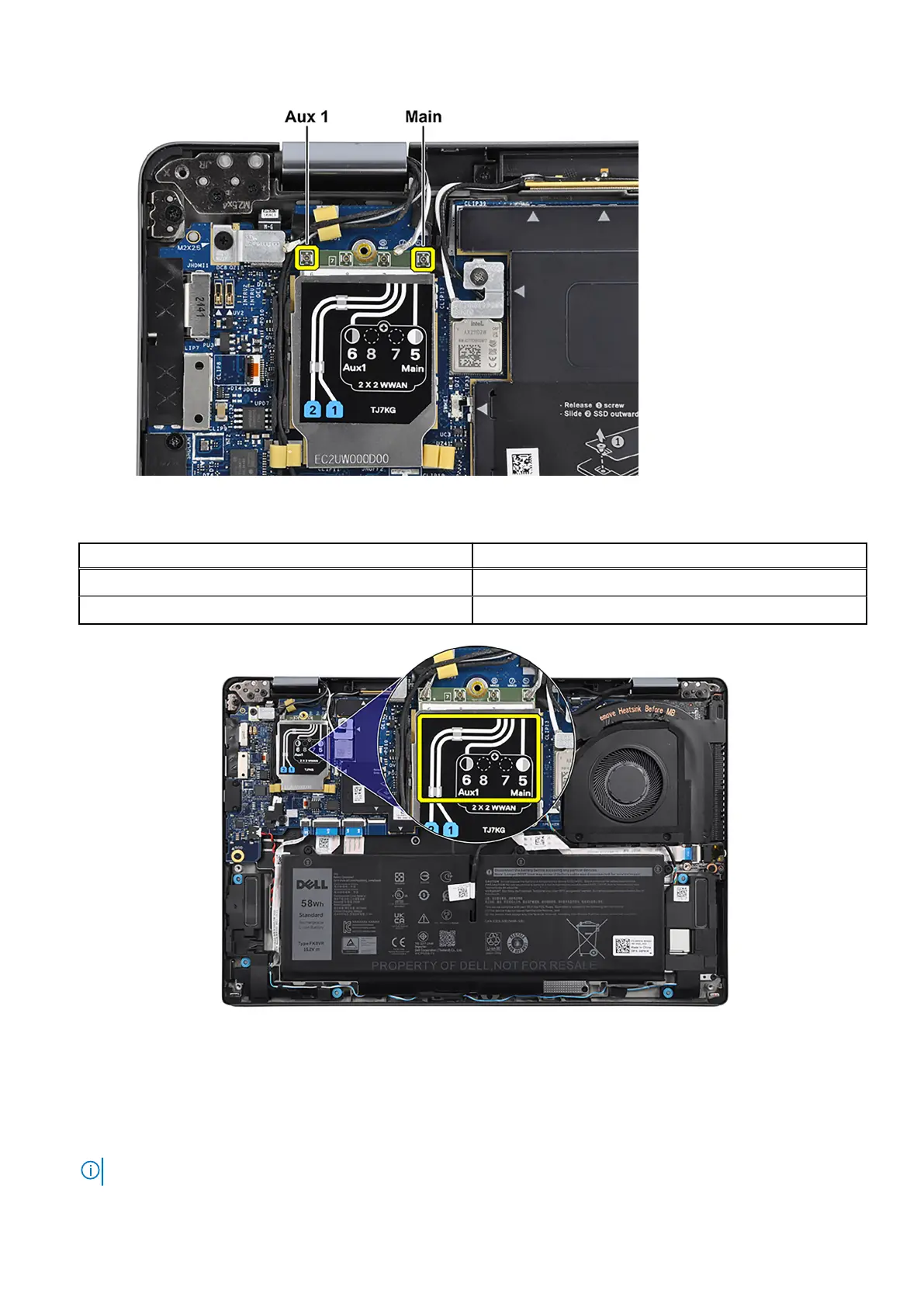
The following table provides the antenna-cable color scheme for the wireless card supported by your system.
Table 2. 4G WWAN-antenna cable color scheme
Connectors on the wireless card Antenna cable color
Main (white triangle) White
Auxiliary (black triangle) Black
Figure 1. 4G WWAN configuration
4. Place the 4G WWAN-card bracket on the 4G WWAN card.
5. Align the screw hole on the 4G WWAN-card bracket with the screw hole on the system board.
6. Replace the screw (M2x2.5) to secure the 4G WWAN-card bracket and the 4G WWAN card to the system board.
7. Place the 4G WWAN-card shield over the 4G WWAN card and secure it in place.
NOTE: Insert the edges of the 4G WWAN-card shield into the clips on the system board to secure it in place.
34 Removing and installing components



 To Next Page