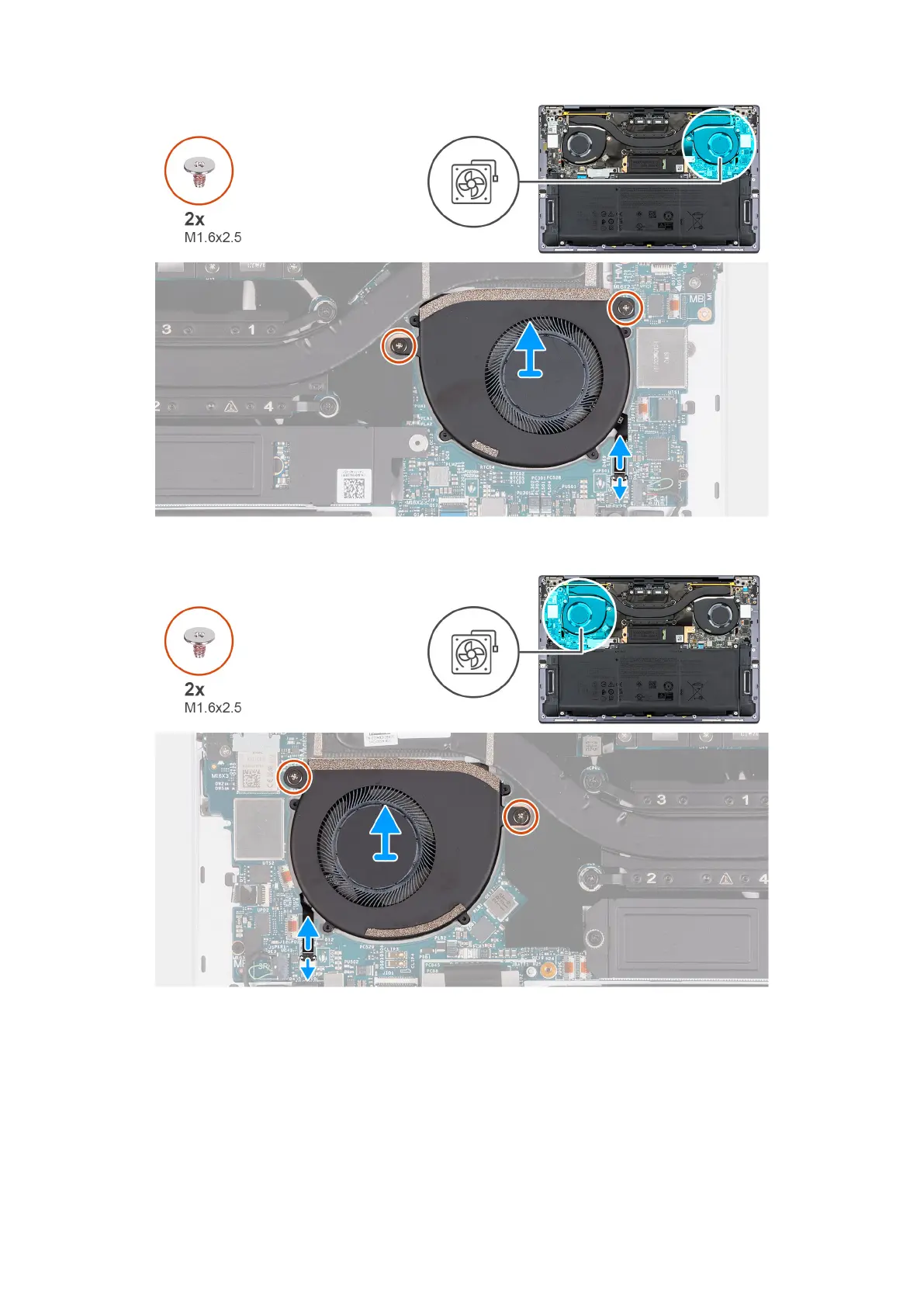
Figure 28. Removing the left fan
Figure 29. Removing the right fan
Steps
1. Lift the latch of left-fan cable connector, use the pull tab of the left-fan cable to disconnect it from the system board.
2. Remove the two screws (M1.6x2.5) that secure the left fan to the system board.
3. Lift the left fan off the system board.
4. Lift the latch of right-fan cable connector, use the pull tab of the right-fan cable to disconnect it from the system board.
5. Remove the two screws (M1.6x2.5) that secure the right fan to the system board.
6. Lift the right fan off the system board.
Removing and installing Field Replaceable Units (FRUs)
47





 To Next Page