Installing the fans
Prerequisites
If you are replacing a component, remove the existing component before performing the installation process.
About this task
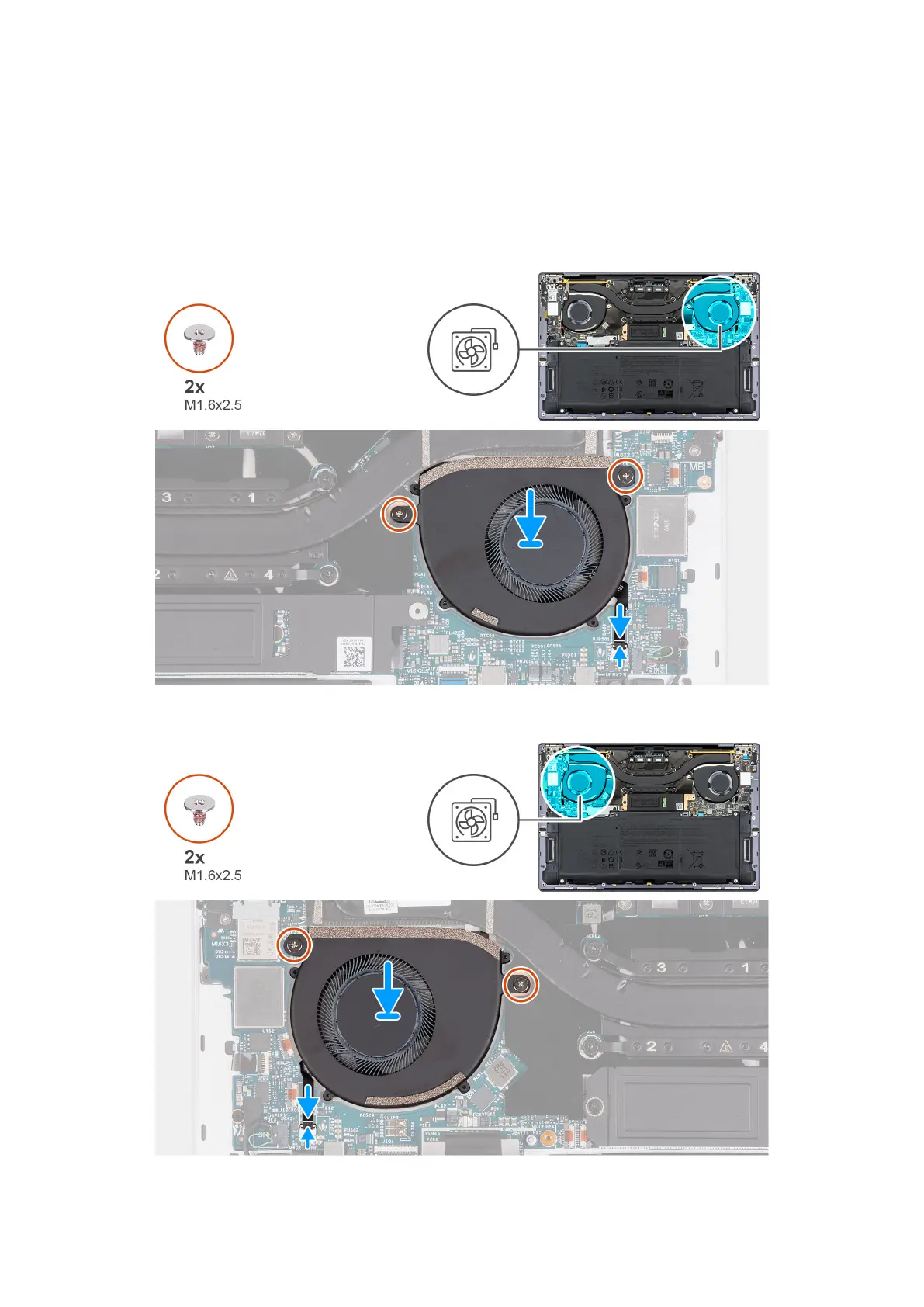
The following image(s) indicate the location of the fans and provides a visual representation of the installation procedure.
Figure 30. Installing the left fan
Figure 31. Installing the right fan
48
Removing and installing Field Replaceable Units (FRUs)





 To Next Page