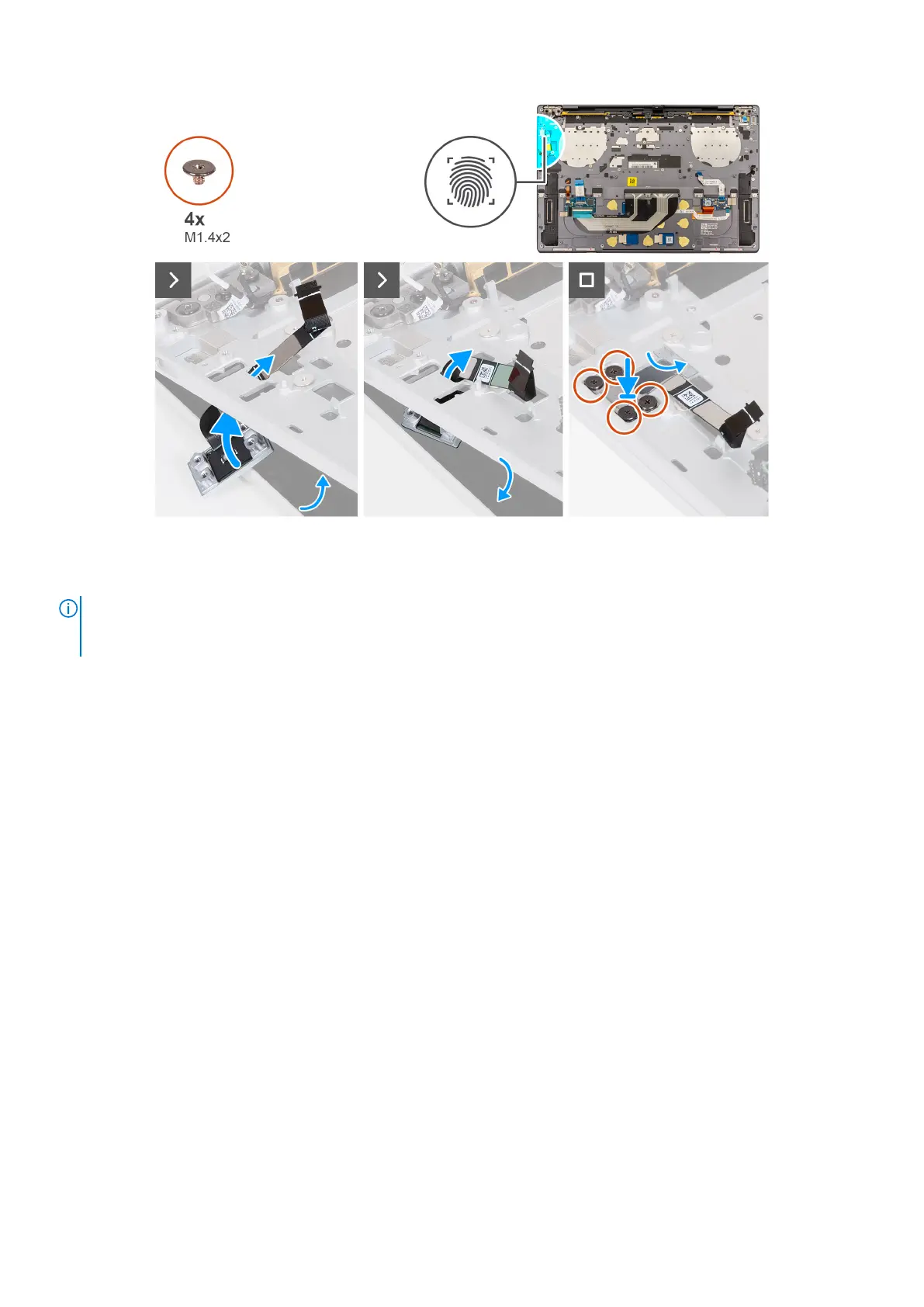
Figure 46. Installing the power button with fingerprint reader
Steps
NOTE:
When installing the power button with fingerprint reader, open the display assembly to a 90-degree angle and then
place the computer on the edge of a flat surface. Ensure to maintain the angle throughout the installation process to
minimize the risk of damaging the thin display panel when applying torque to install and remove screws from the computer.
Removing and installing Field Replaceable Units (FRUs) 65





 To Next Page