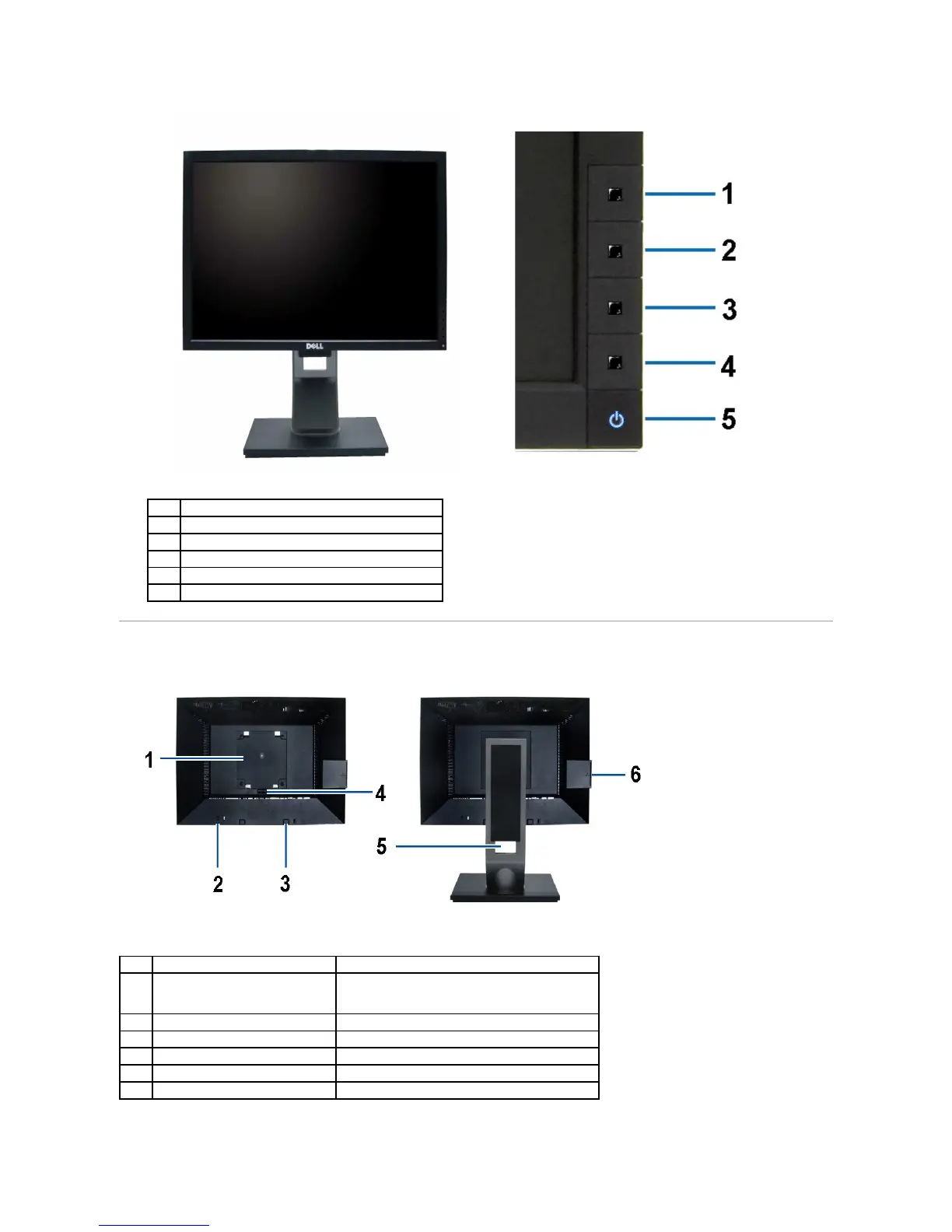
Back View
Note: The regulatory rating label and barcode serial number label is revealed when plate is pulled out from USB compartment.
Energy Modes (default, but configurable)
Brightness & Contrast (default, but configurable)
Power button (with power light indicator)
Back View with monitor stand
VESA mounting holes (100mm)
(Behind attached base plate)
To help secure your monitor.
Dell Soundbar mounting brackets
To attach the optional Dell Soundbar.
To press to release the stand.
To organize cables by placing them through the slot.
To pull out to view labels



 To Next Page