36 │ Operating your monitor
Using the on-screen display (OSD) menu
Accessing the Menu System
NOTE: Any changes you make are automatically saved when you move
to another menu, exit the OSD menu, or wait for the OSD menu to
automatically close.
1.
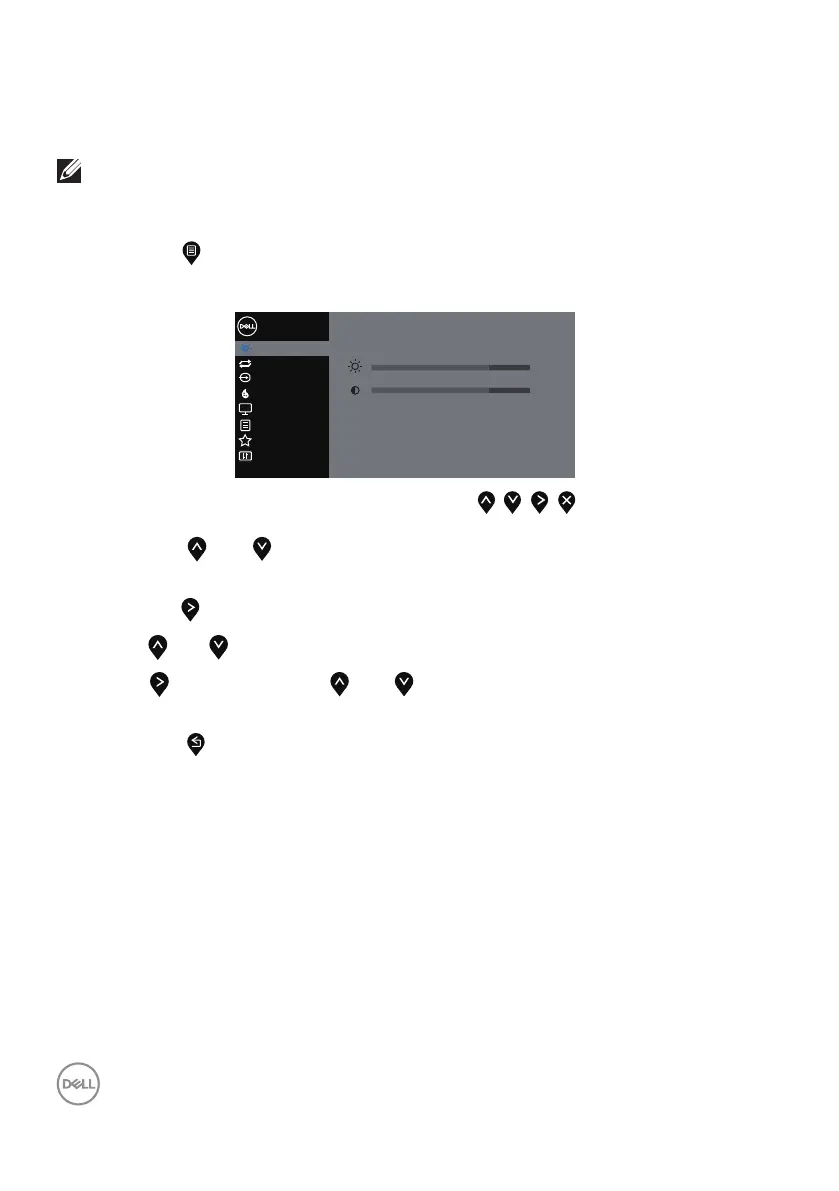
Press the button to display the OSD main menu.
Main menu for digital (VGA/HDMI/DP) input
Brightness / Contrast
Dell 20 Monitor
75%
75%
Input Source
Color
Display
Others
Personalize
Menu
Auto Adjust
2.
Press the and buttons to move between the setting options. As you
move from one icon to another, the option is highlighted.
3.
Press the button once to activate the highlighted option.
4.
Press and button to select the desired parameter.
5.
Press and then use the and buttons, according to the indicators on
the menu, to make your changes.
6.
Select the button to return to the main menu.



 To Next Page