44 │ Operating the monitor
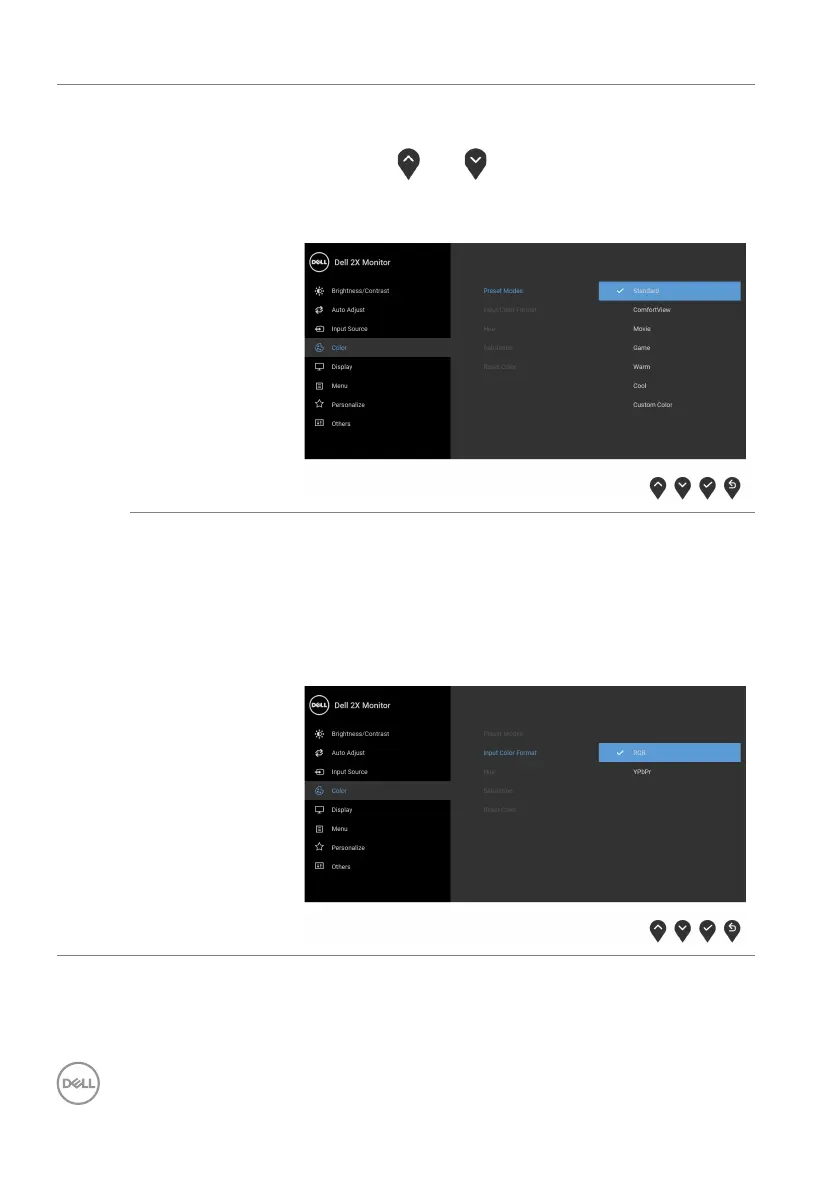
Preset Modes • Custom Color: Allows you to manual ly adjust the
color settings.
Use the
and buttons to adjust the three
colors (R, G, B) values and create your own preset
co
lor mode.
Input Color
Format
Allows you to set the video input mode to:
RGB: S
elect this option if your monitor is connected
to a computer (or DVD player) using the DisplayPort
or HDMI cable.
YPbPr: Se
lect this option if your DVD player
supports only YPbPr output.



 To Next Page