46 │ Operating the monitor
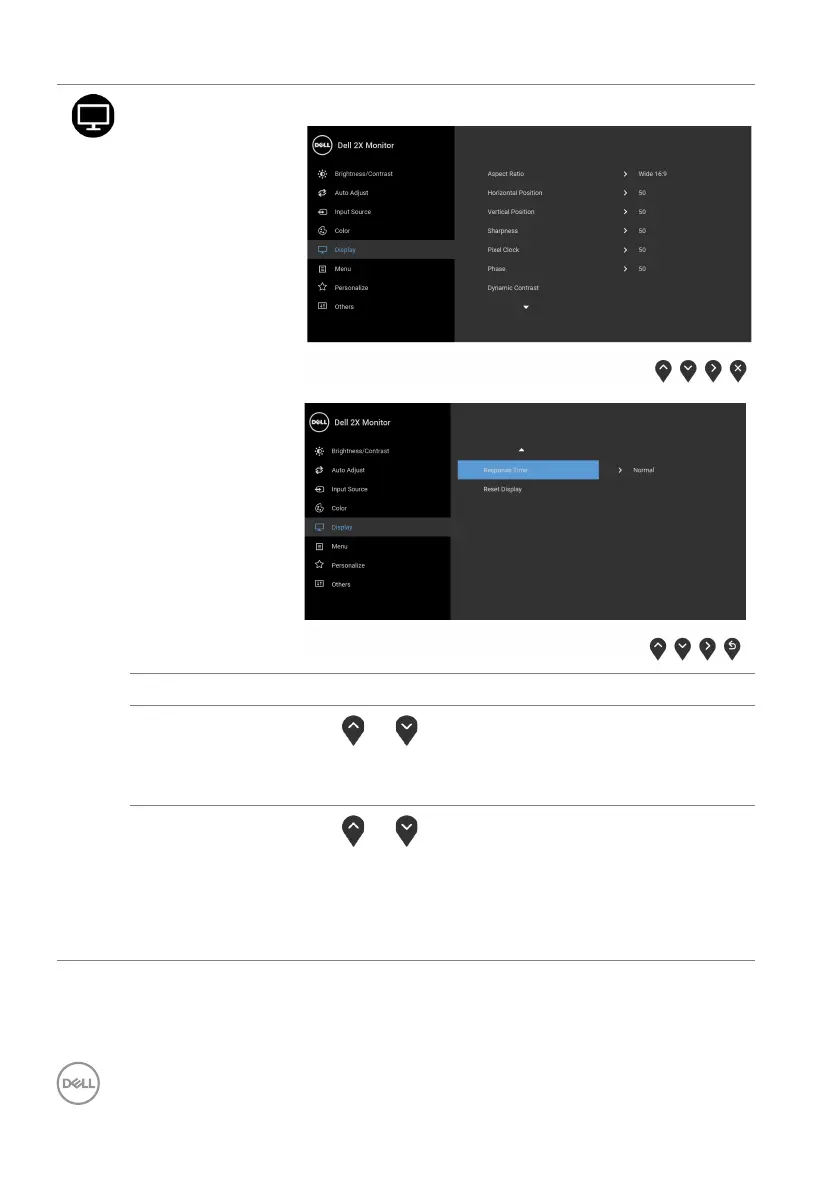
Display Use Display to adjust image.
Aspect Ratio Adjusts the image ratio to Wide 16:9, 4:3, or 5:4.
Horizontal
Po
sition
Use
or to adjust the image left or right.
Minimum is '0' (-).
Maximum is '100' (+).
Vertical
Po
sition
Use
or to adjust the image up or down.
Minimum is '0' (-).
Maximum is '100' (+).
NOTE: Horizontal Position an
d Vertical Position
adjustments are only available for VGA input.



 To Next Page