26 │ About your monitor
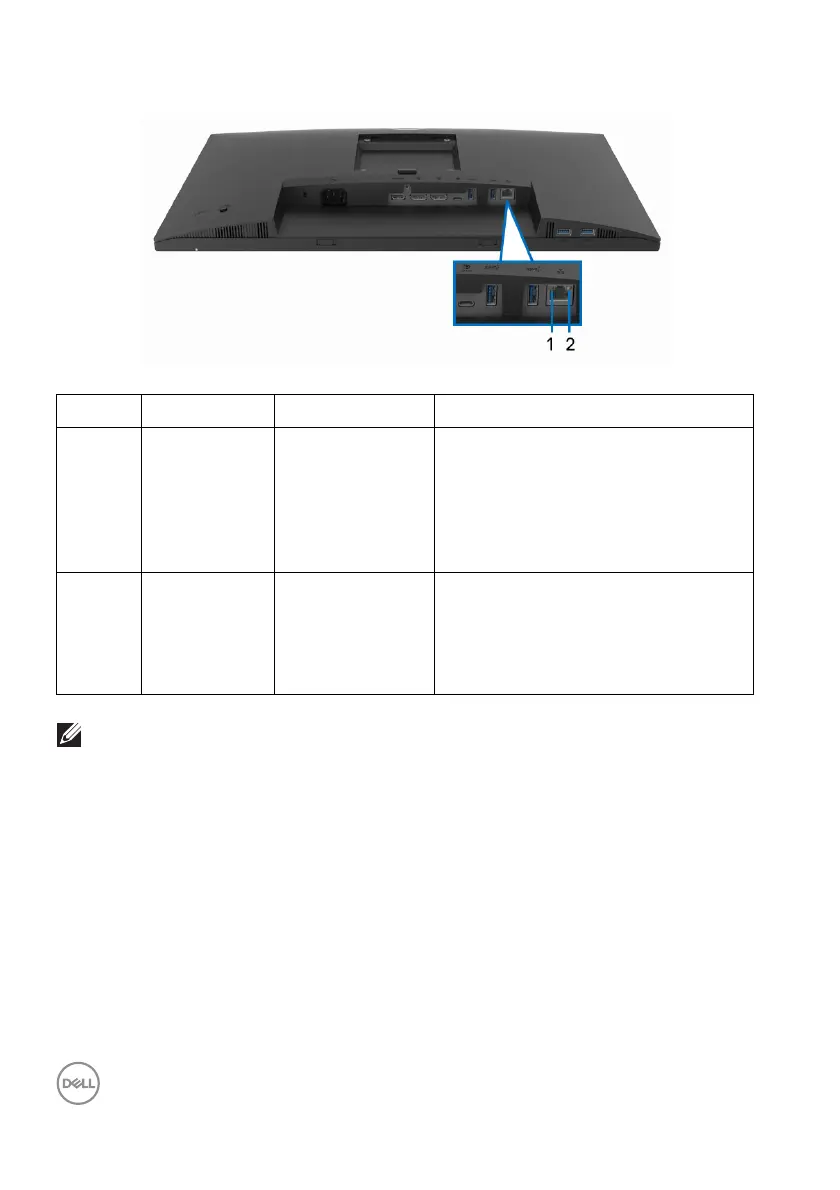
RJ45 connector LED status
Label LED Color Description
1 Left LED Green Link/Activity indicator:
• Blinking - Activity on the port.
• Green On - Link is being
estab
lished.
• Off - Link is not established.
2 Right LED Amber or Green Speed indicator:
•Amber On - 1000 Mbps
• Green On - 100 Mbps
• Off - 10 Mbps
NOTE: The RJ45 cable is non in-box standard accessory.
LCD monitor quality and pixel policy
During the LCD Monitor manufacturing process, it is not uncommon for one or more
pixels to become fixed in an unchanging state which are hard to see and do not
affect the display quality or usability. For more information on Dell Monitor Quality
and Pixel Policy, see www.dell.com/pixelguidelines.



 To Next Page