30 Setting Up the Monitor
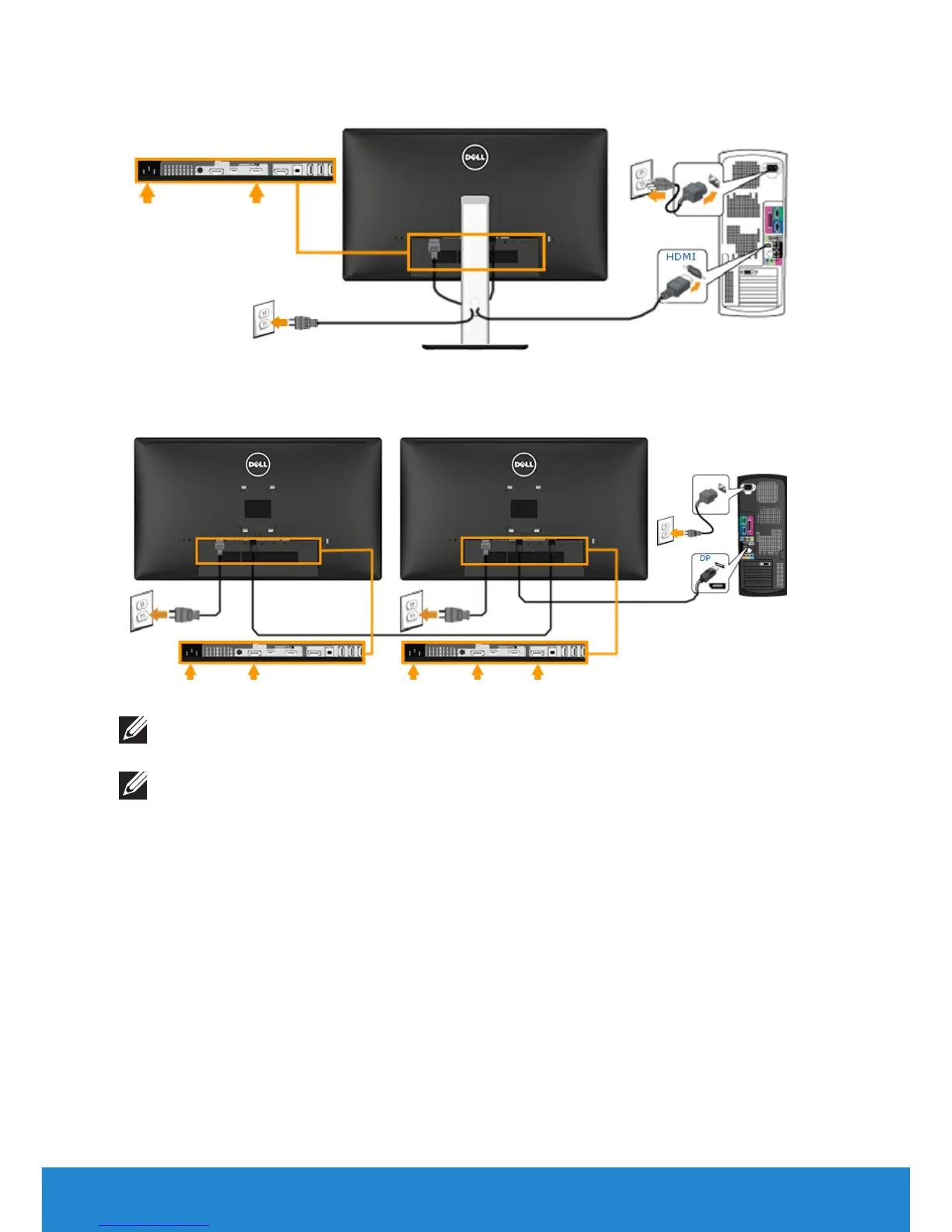
Connecting the black HDMI cable
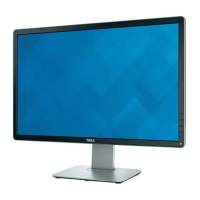
Connecting the Monitor for DP Multi-Stream Transport (MST) function
Note: Supports the DP MST feature. To make use of this feature, your PC
graphics card must be certified to DP 1.2 with MST option.
Note: The graphics are used for the purpose of illustration only. Appearance
on the computer may vary.


 To Next Page