Setting Up the Monitor 33
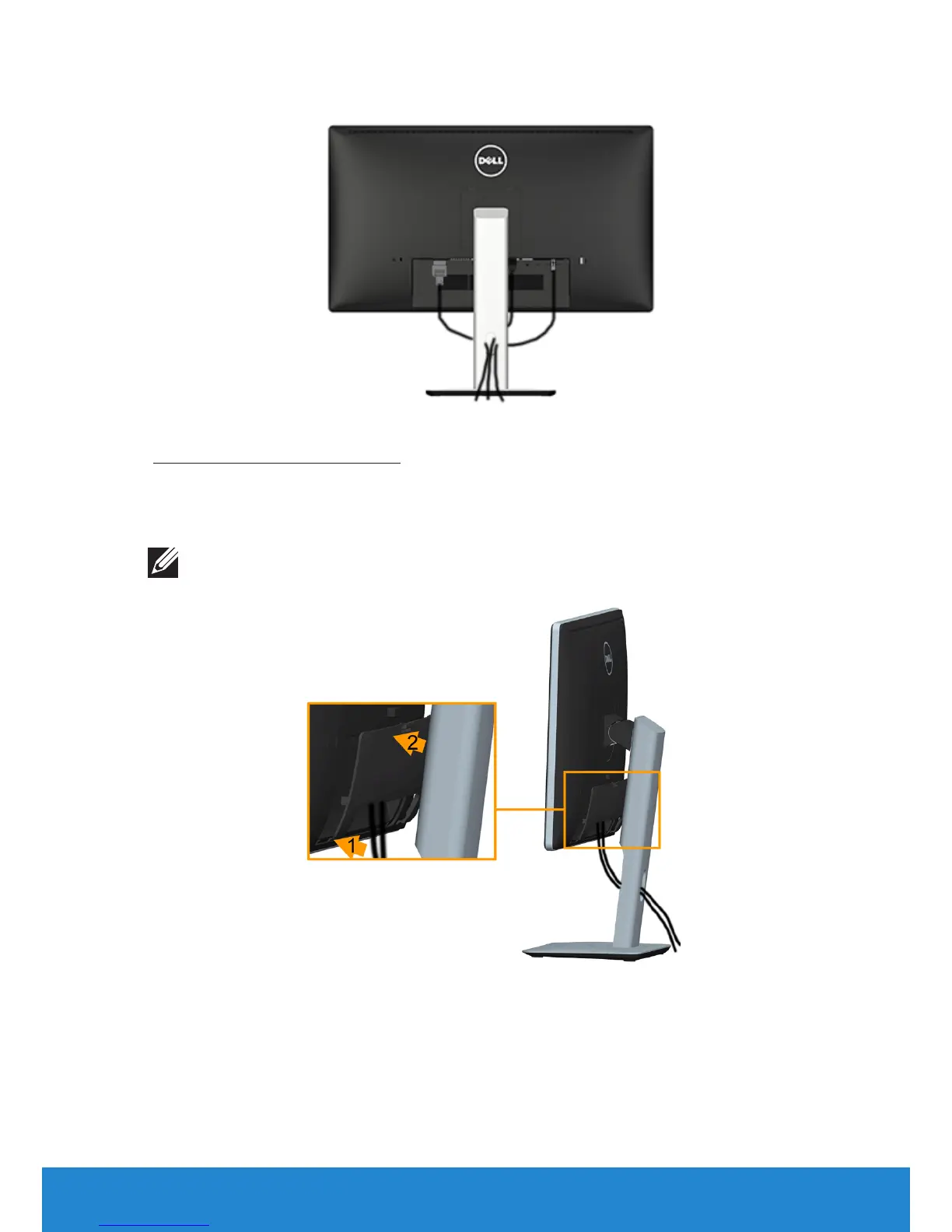
Organizing Your Cables
After attaching all necessary cables to your monitor and computer, (See
Connecting Your Monitor for cable attachment), organize all cables as
shown above.
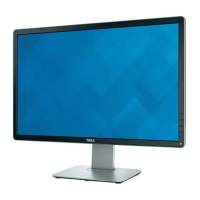
Attaching the Cable Cover
NOTE: The Cable Cover is detached when the monitor is shipped from the
factory.
To attach the Cable Cover:
1. Fit the two tabs on the bottom part of the Cable Cover to the groove
on the back of the monitor
2. Press the Cable Cover till it snaps into place.


 To Next Page