Operating the Monitor 45
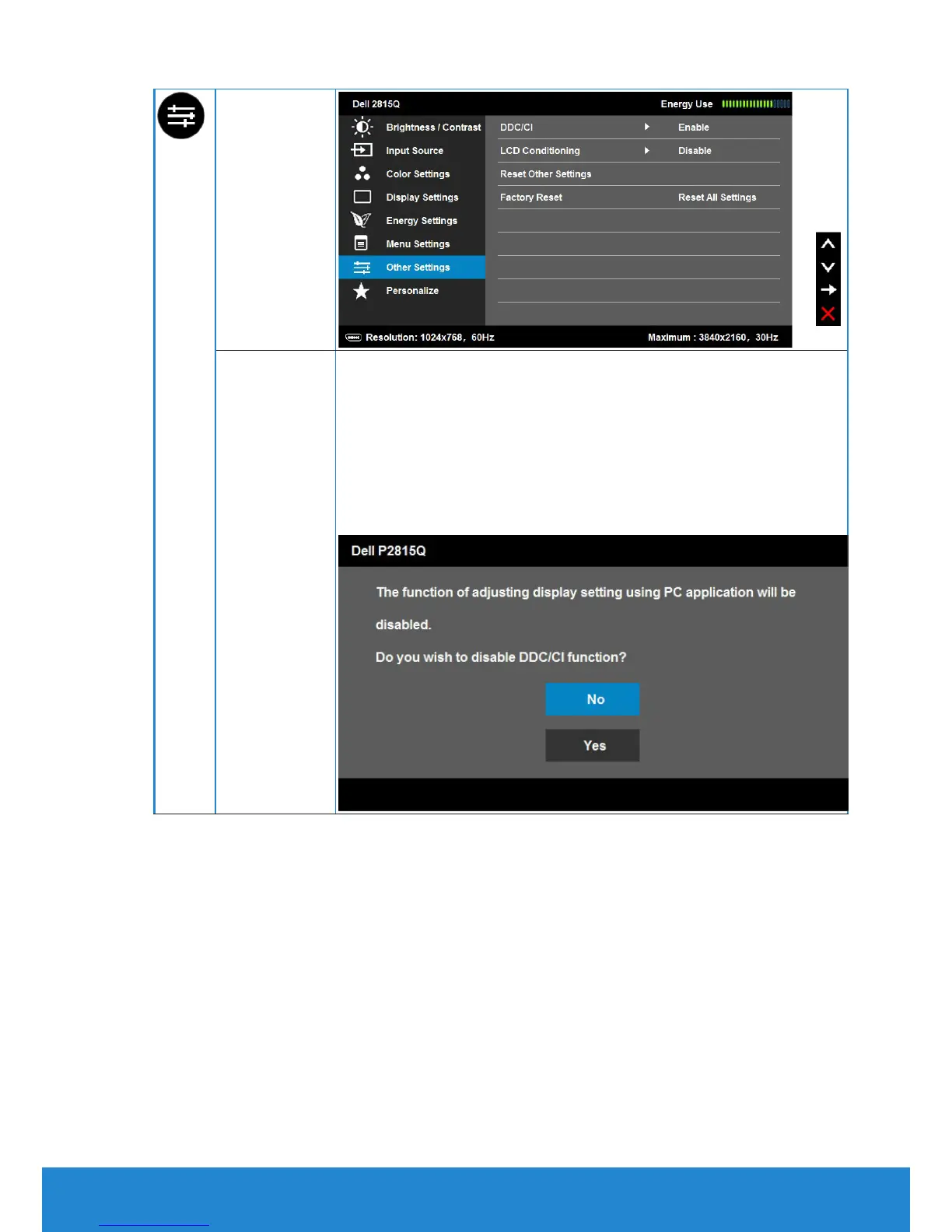
Other
Settings
DDC/CI
DDC/CI (Display Data Channel/Command Interface) allows
a software on your computer to adjust the monitor display
settings like the brightness, color balance etc.
Enable (Default): Optimizes the performance of your
monitor and provides a better customer experience.
Disable: Disables the DDC/CI option and the following
message appears on the screen.


 To Next Page