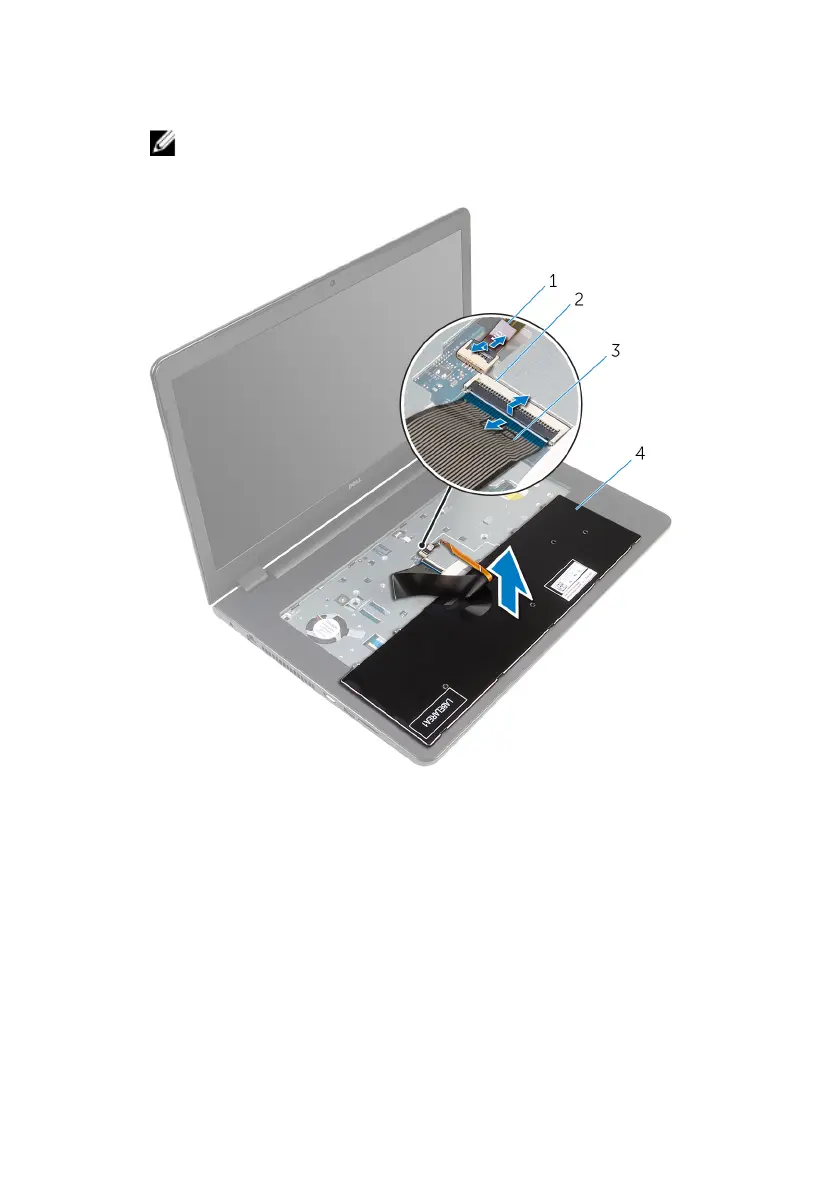
4 Lift the latches and disconnect the keyboard cable and keyboard-
backlight cable (optional) from the system board.
NOTE: The keyboard-backlight cable is present only if the laptop
shipped with a backlit keyboard.
1 keyboard-backlight cable 2 latch
3 keyboard cable 4 keyboard
5 Lift the keyboard, along with the cables, off the palm-rest assembly.
35



 To Next Page