Procedure
1 Turn the computer over and open the display as far as possible.
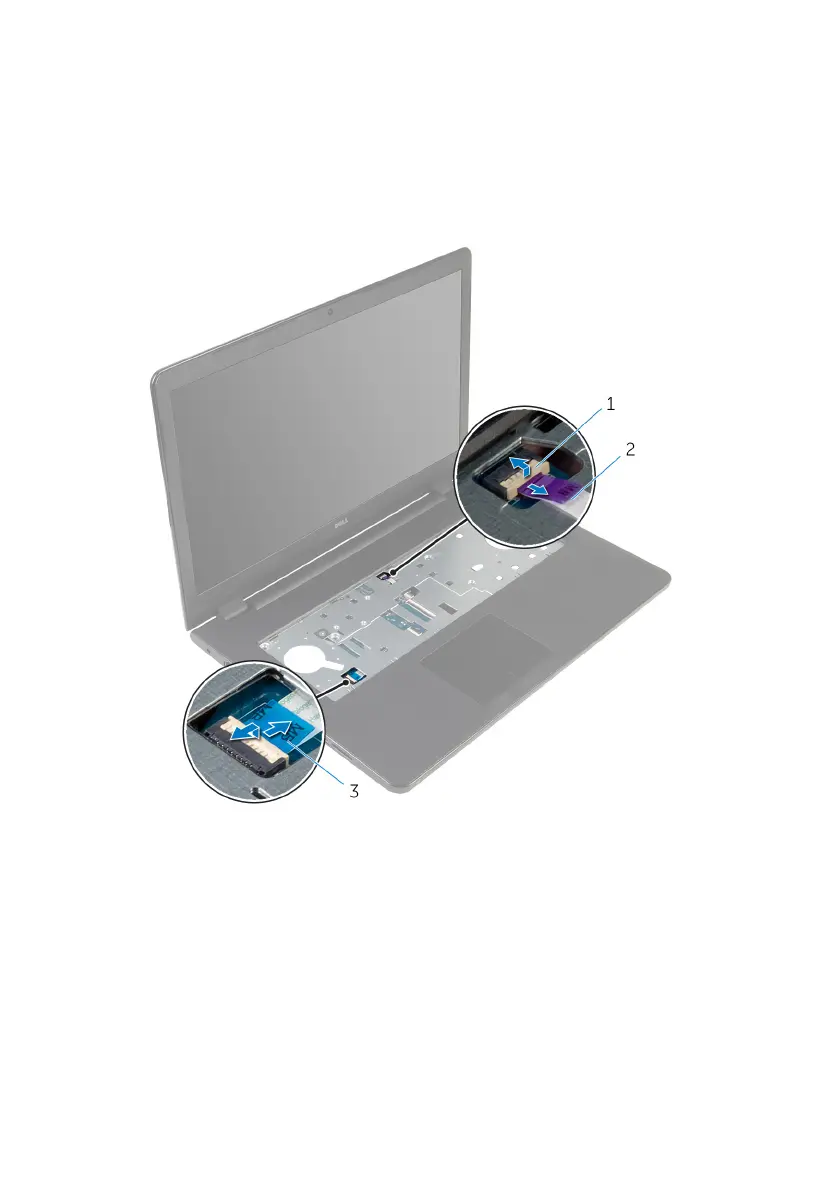
2 Lift the connector latches and disconnect the power-button board cable
and the touchpad cable from the system board.
1 power-button board cable 2 touchpad cable
3 Close the display and turn the computer over.
4 Lift the latch and disconnect the display cable from the system board.
5 Remove the screw that secures the system board to the palm-rest
assembly.
61



 To Next Page