7. latches (2)
5. Turn the computer over and open the display as far as possible.
CAUTION: Place the computer on a soft and clean surface to avoid scratching the display.
6. Place the computer face down on a flat surface.
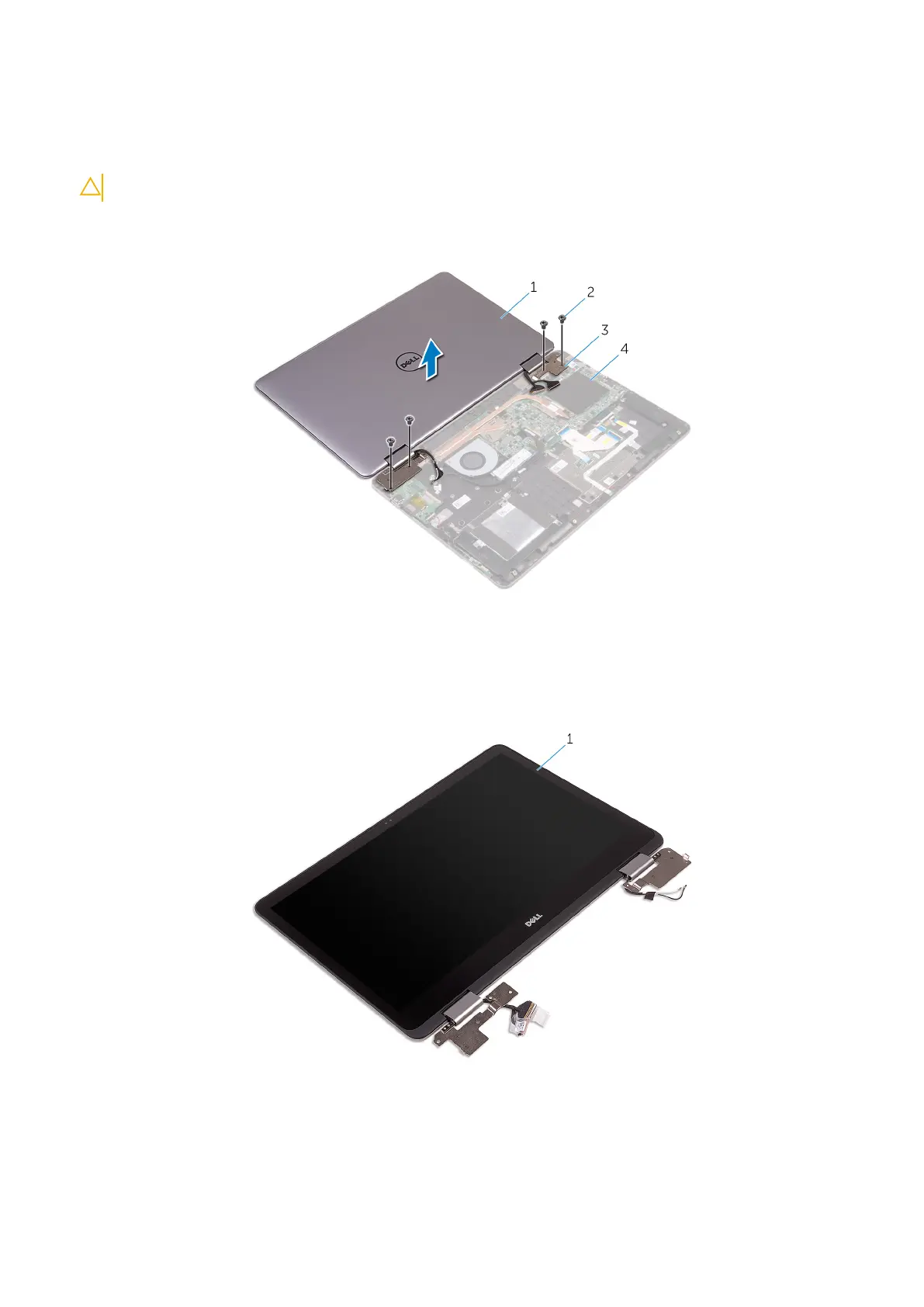
7. Remove the four screws (M2.5x6 Big Head) that secure the display assembly to the palm-rest assembly.
Figure 27. Removing the display assembly
1.
display assembly 2. screws (4)
3. display hinges (2) 4. palm-rest assembly
8. Lift the display assembly off the palm-rest assembly.
Figure 28. Display assembly
a. display assembly
Removing the display assembly
59



 To Next Page