24 | About Your Monitor
Plug-and-Play
You can install the monitor in any Plug-and-Play-compatible system. The monitor
automatically provides the computer system with its extended display identification
data (EDID) using display data channel (DDC) protocols so the computer can configure
itself and optimize the monitor settings. Most monitor installations are automatic;
you can select different settings if desired. For more information about changing the
monitor settings, see Operating the Monitor.
LCD Monitor Quality and Pixel Policy
During the LCD monitor manufacturing process, it is not uncommon for one or more
pixels to become fixed in an unchanging state which are hard to see and do not affect
the display quality or usability. For more information on LCD Monitor Pixel Policy, see
Dell support site at: https://www.dell.com/pixelguidelines
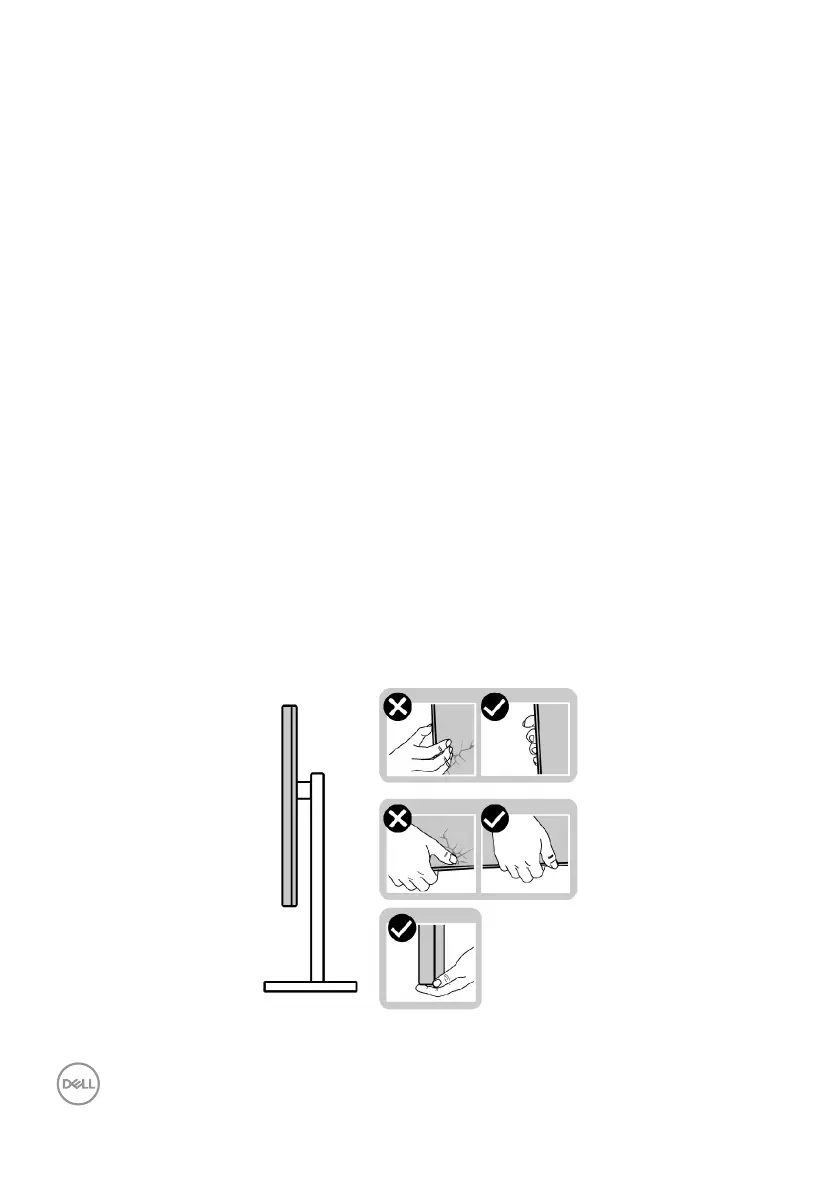
Handling and Moving Your Display
To ensure the monitor is handled safely when lifting or moving it, follow the guidelines
mentioned below:
• Before moving or lifting the monitor, turn off your computer and the monitor.
• Disconnect all cables from the monitor.
• Place the monitor in the original box with the original packing materials.
• Hold the bottom edge and the side of the monitor firmly without applying
excessive pressure when lifting or moving the monitor.



 To Next Page