22 | Setting up the monitor
Setting up the monitor
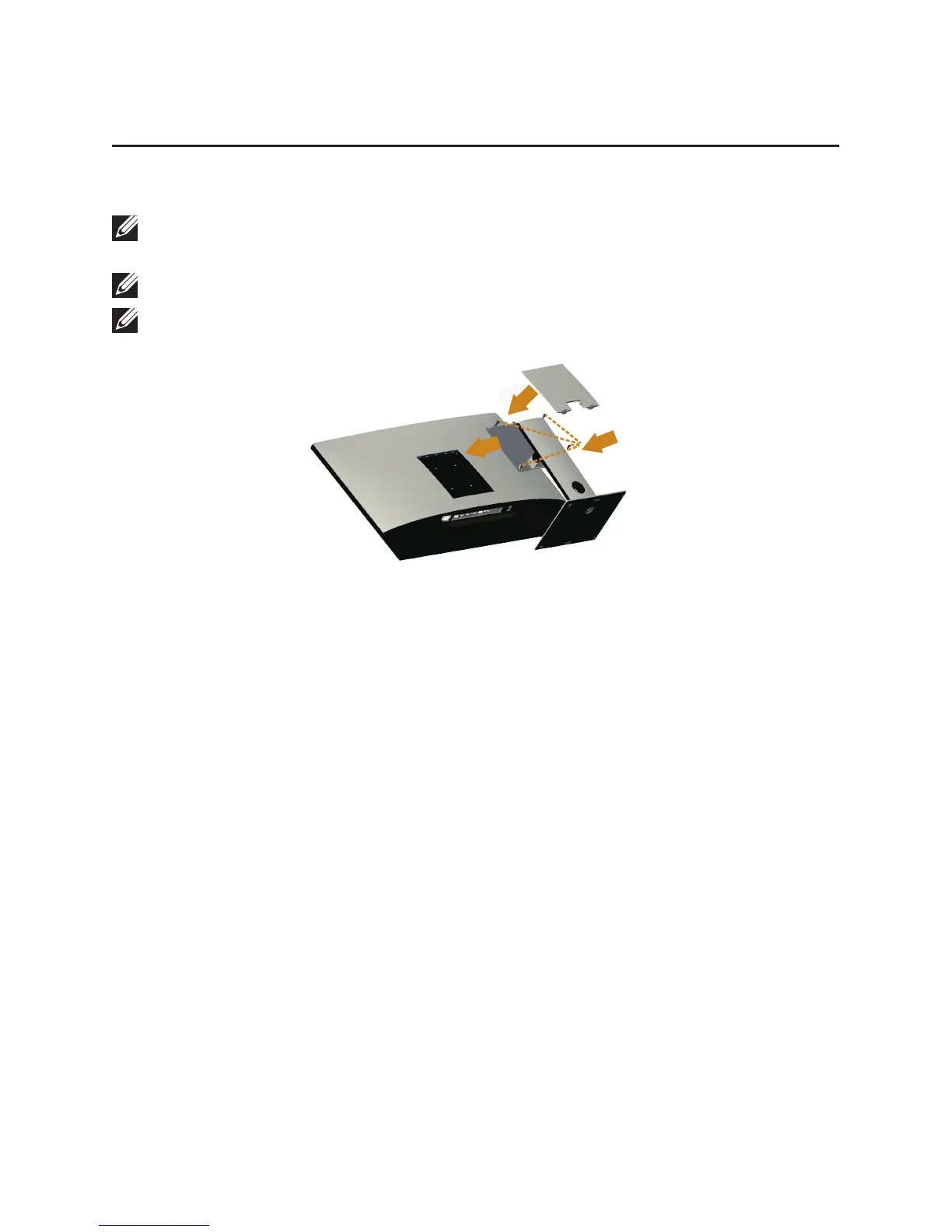
Attaching the stand
NOTE: To set up with any other stand, please refer to the respective stand setup
guide for setup instructions.
NOTE: The stand is detached when the monitor is shipped from the factory.
NOTE: The following steps are applicable for a monitor with a stand.
1
3
2
To attach the monitor stand:
1.
Attach the monitor stand.
2.
To tighten the four screws.
3.
Attach the VESA cover.


 To Next Page