Setting up the monitor | 23
Connecting your monitor
WARNING: Before you begin any of the procedures in this section, follow the
Safety instructions.
NOTE: Do not connect all cables to the computer at the same time.
To connect your monitor to the computer:
1.
Turn off your computer and disconnect the power cable.
2.
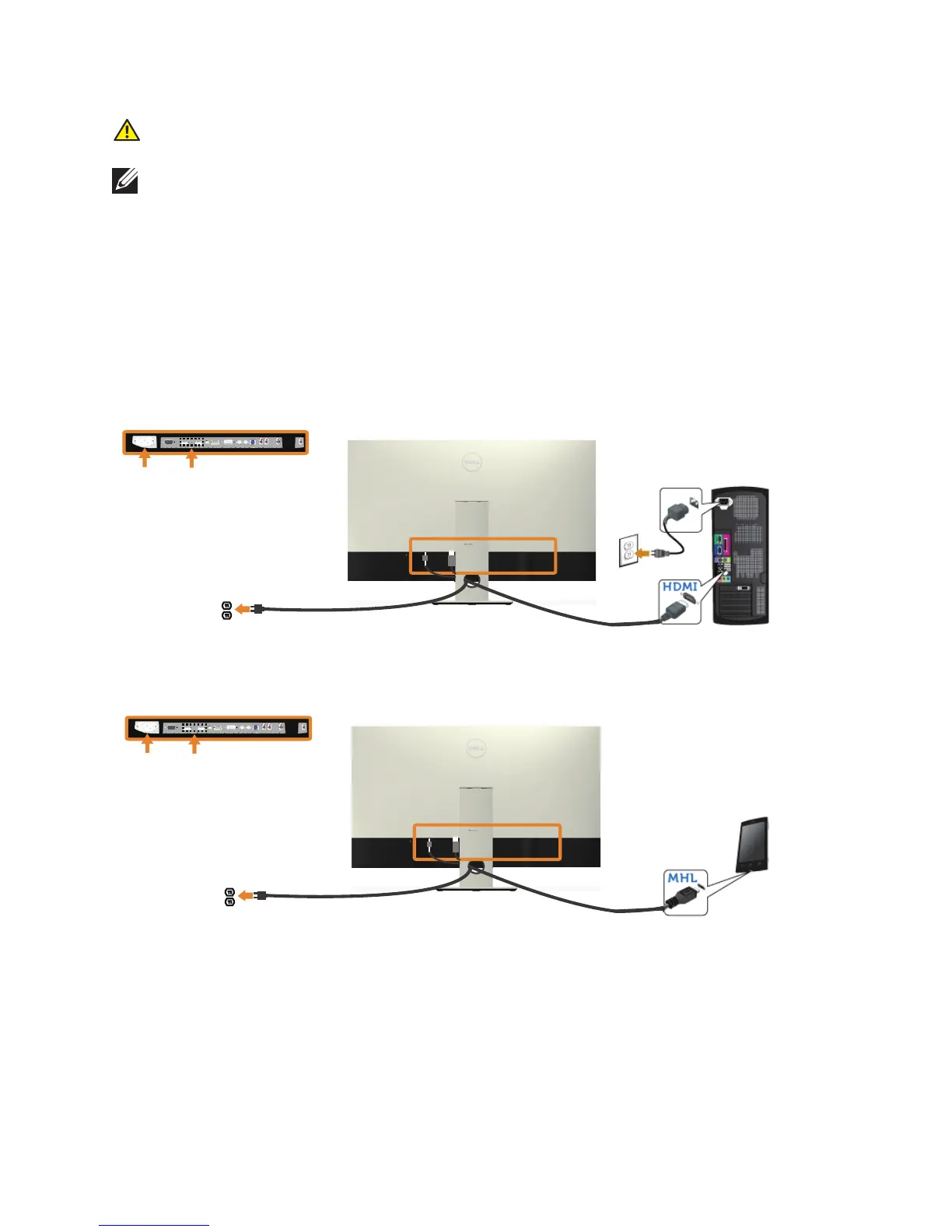
Connect the HDMI/MHL/mDP/DP/VGA/audio/USB 3.0 cable from your
monitor to the computer.
Connecting the HDMI cable
Connecting the MHL cable (sold separately)


 To Next Page