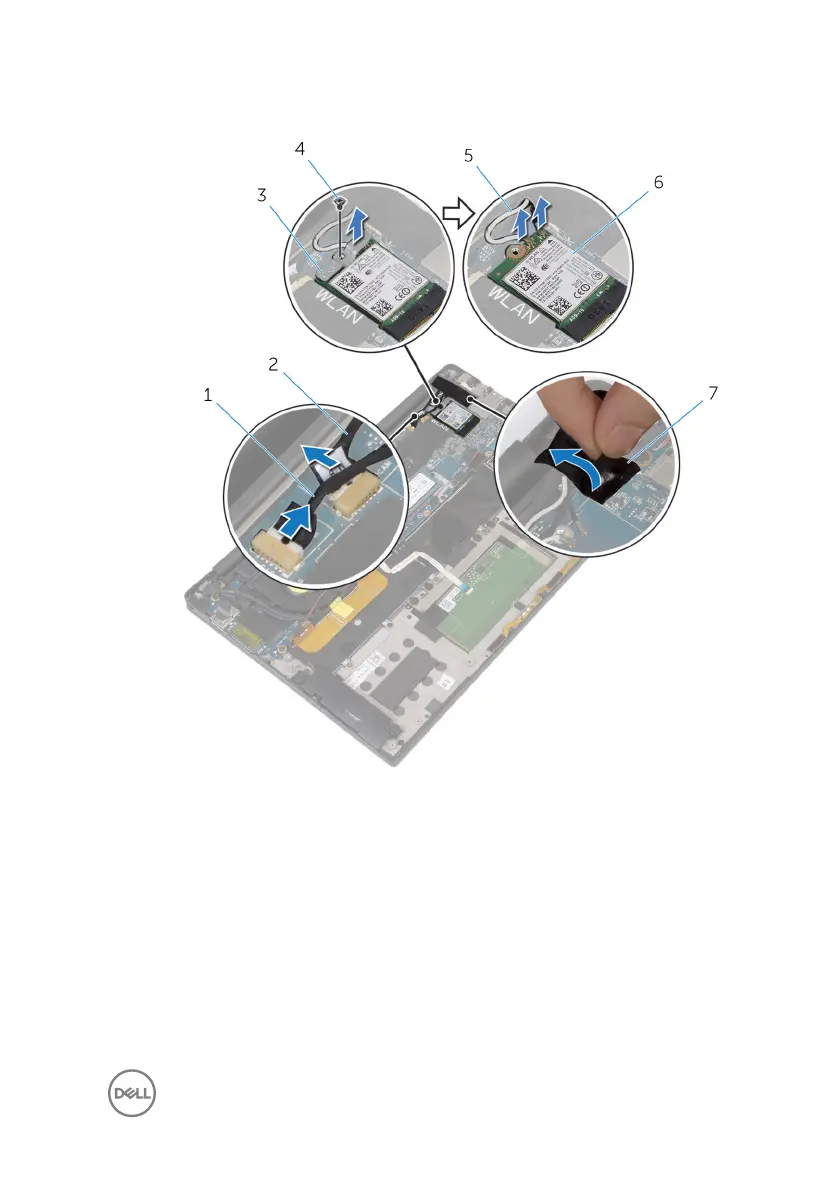
5 Disconnect the antenna cables from the wireless card.
Figure 18. Removing the display assembly
1
touchscreen cable (optional) 2 camera cable
3 wireless-card bracket 4 screw
5 antenna cables (2) 6 wireless card
7 tape
6 Remove the screw (M1.6x3) that secures the display cable to the I/O board.
7 Peel o the tapes that secure the display cable to the fan and the I/O board.
8 Disconnect the media-card reader cable from the I/O board.
55



 To Next Page