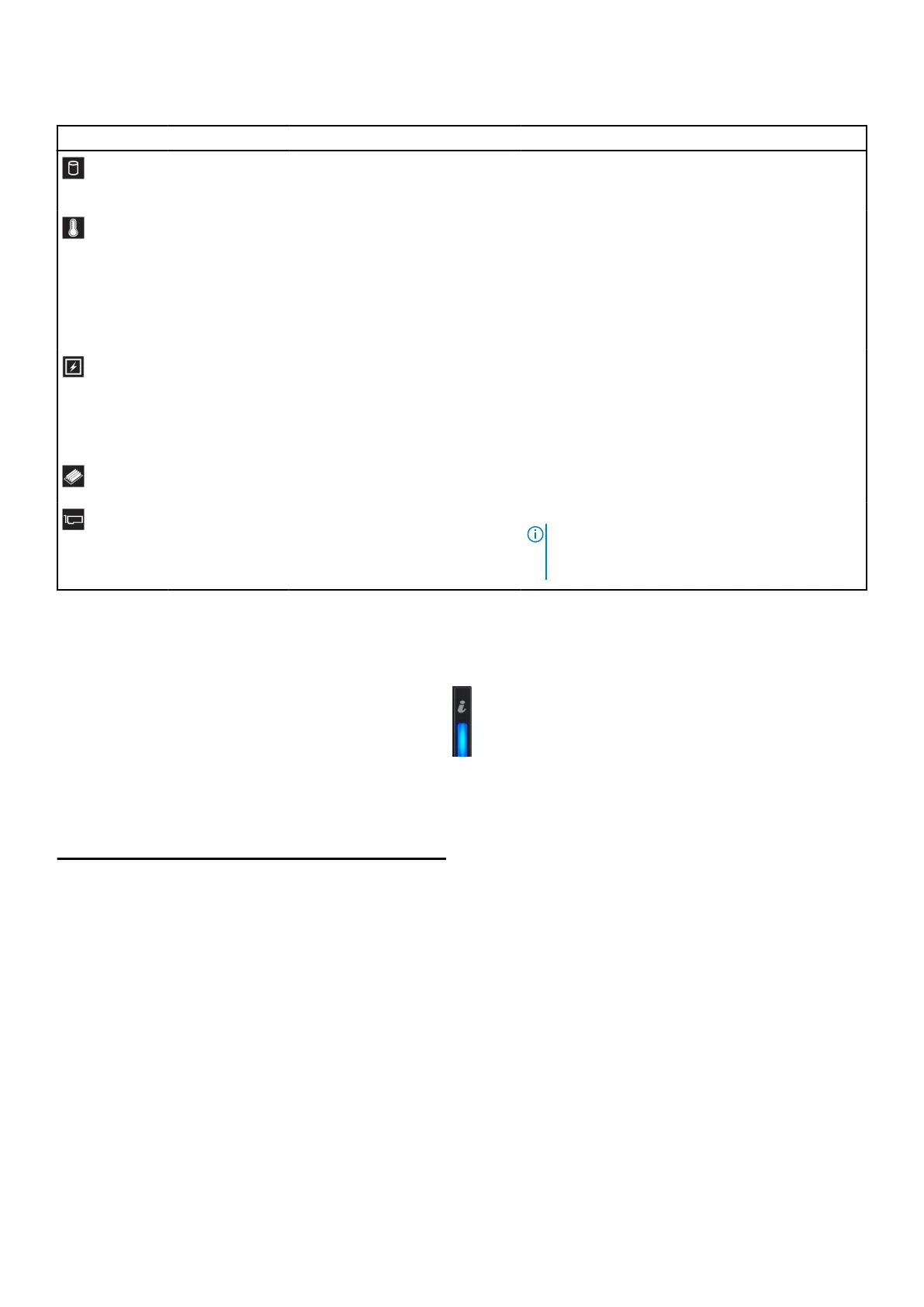
Table 11. Status LED indicators and descriptions
Icon Description Condition Corrective action
Hard drive
indicator
The indicator turns solid amber if
there is a hard drive error.
Check the System Event Log to determine if the
drive has an error. If the problem persists, see
Support.
Temperature
indicator
The indicator turns solid amber
if the appliance experiences a
thermal error (for example, the
ambient temperature is out of
range or there is a fan failure).
Ensure that none of the following conditions exist:
● A cooling fan has been removed or has failed.
● appliance cover, air shroud, memory module
blank, or back filler bracket is removed.
● Ambient temperature is too high.
● External airflow is obstructed.
If the problem persists, see Support.
Electrical
indicator
The indicator turns solid amber
if the appliance experiences an
electrical error (for example,
voltage out of range, or a failed
power supply unit (PSU) or voltage
regulator).
Check the System Event Log or appliance messages
for the specific issue. If it is due to a problem with
the PSU, check the LED on the PSU. Reseat the
PSU. If the problem persists, see Support.
Memory indicator The indicator turns solid amber if a
memory error occurs.
See the Support section.
PCIe indicator The indicator turns solid amber if a
PCIe card experiences an error.
See the Support section.
NOTE: For more information about the
supported PCIe cards, see Expansion card
installation guidelines.
appliance health and appliance ID indicator codes
The appliance health and appliance ID indicator is located on the left control panel of your appliance.
Figure 7. appliance health and appliance ID indicators
Table 12. appliance health and appliance ID indicator codes
appliance health and appliance ID indicator code Condition
Solid blue
Indicates that the appliance is turned on, appliance is healthy,
and appliance ID mode is not active. Press the appliance health
and appliance ID button to switch to appliance ID mode.
Blinking blue Indicates that the appliance ID mode is active. Press the
appliance health and appliance ID button to switch to appliance
health mode.
Solid amber Indicates that the appliance is in fail-safe mode. If the problem
persists, see Support.
Blinking amber Indicates that the appliance is experiencing a fault. If the problem
persists, see Support.
Overview 15














 To Next Page