58 Installing System Components
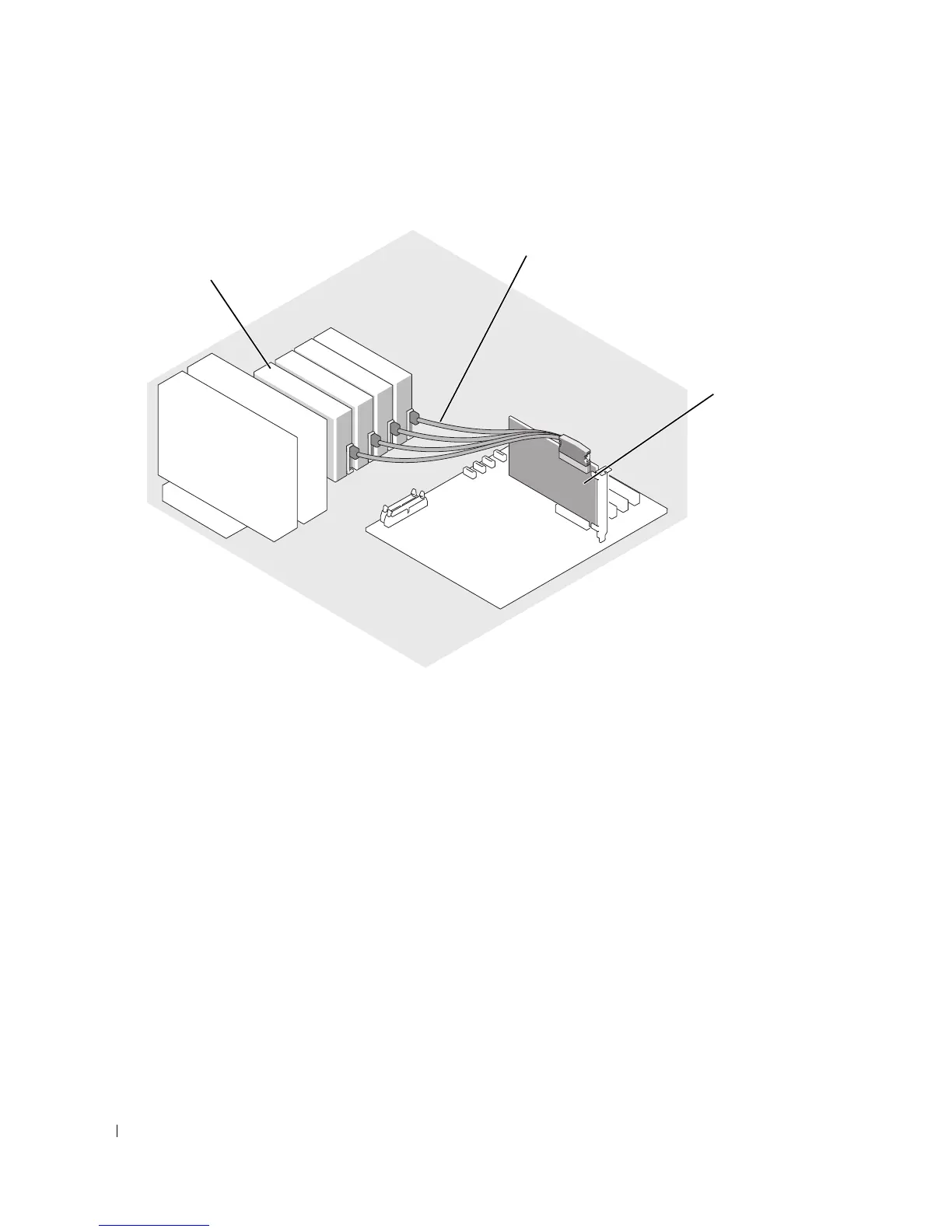
Figure 3-10. Connecting SATA Drives to a SAS Controller Card (SAS backplane not installed)
6
Ensure that all cables are firmly connected and arranged so that they will not catch on the computer
cover or block airflow inside the system.
7
Close the system. See "Closing the System" on page 47.
8
Stand the system upright.
9
Reconnect the system to its electrical outlet and turn the system on, including any attached
peripherals.
10
Partition and logically format the hard drive. See the operating system documentation for more
information.
11
Install any required device drivers.
1 SATA hard drive (up to four) 2 SATA interface cable) 3 SAS controller card
3
2
1














 To Next Page