70 Installing System Components
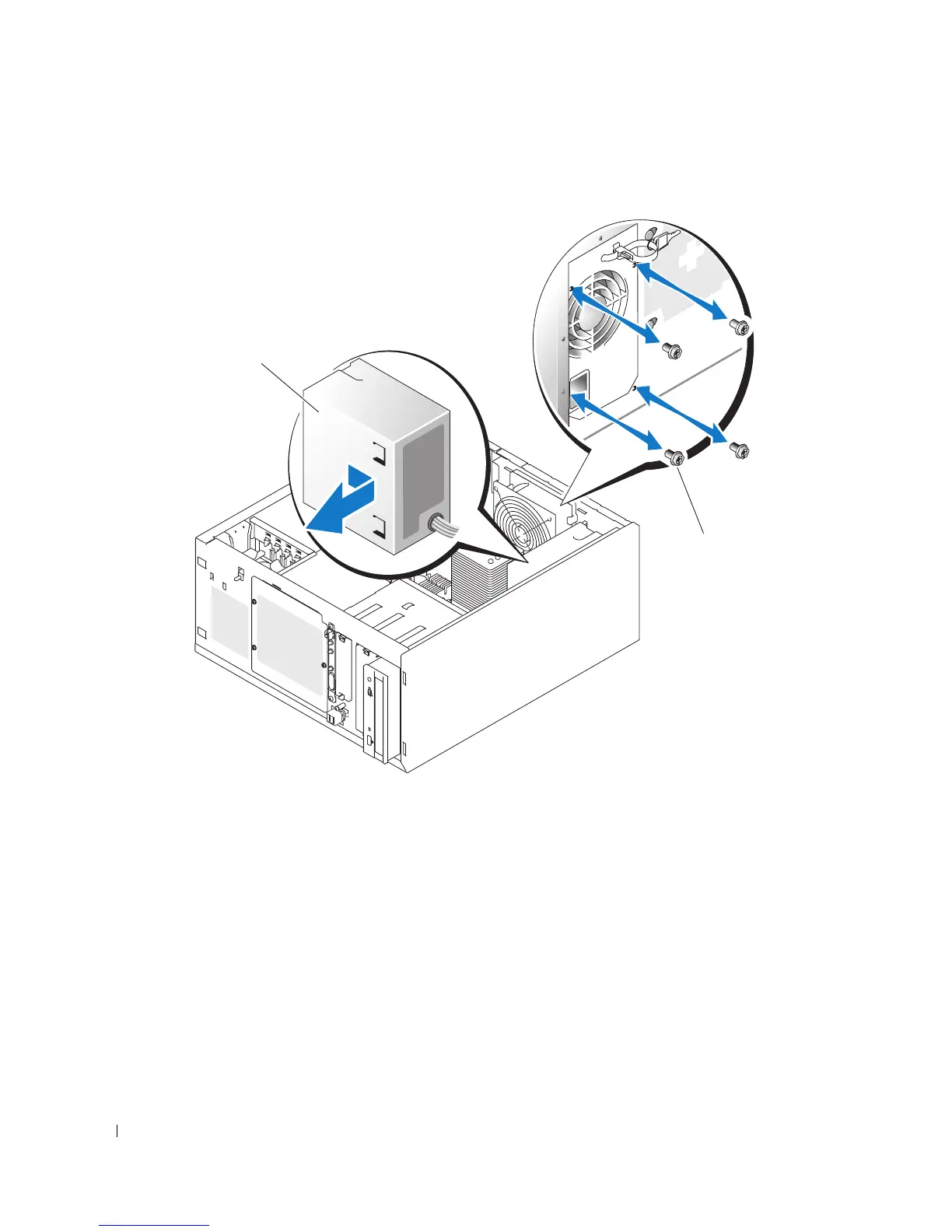
Figure 3-17. Removing the Power Supply
6
Slide the power supply toward the front of the system, and then lift the power supply up and out of the
system.
Replacing the Power Supply
1
Lower the power supply into the system and align the mounting holes with the holes on the back
panel.
2
Install the four screws securing the power supply to the back panel.
3
Install the cooling shroud. See "Installing the Cooling Shroud" on page 65.
1 power supply 2 screws (4)
2
1














 To Next Page