50 Installing and Configuring Hardware
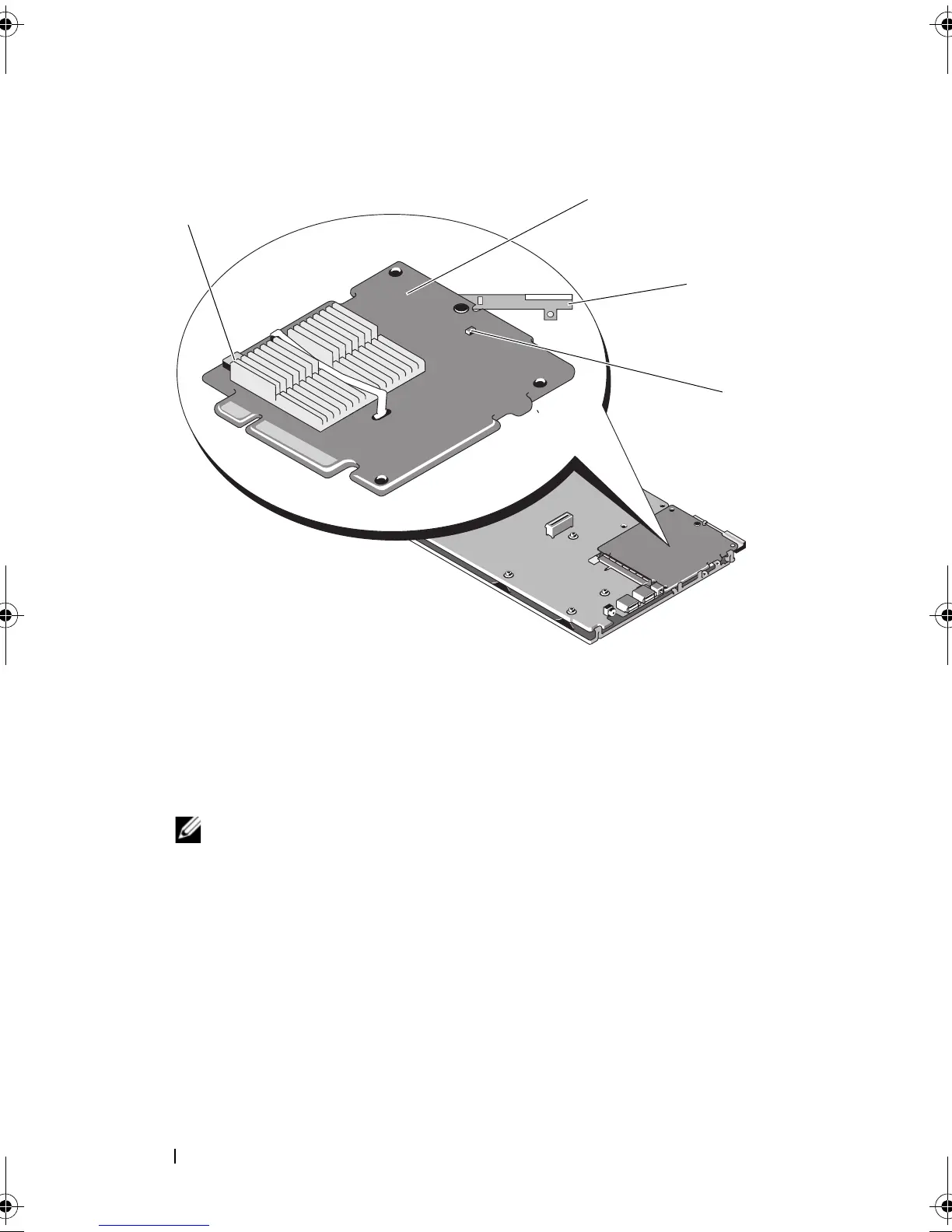
Figure 4-7. Removing and Installing the Storage Controller Card
To install your new storage controller card:
1
Unpack the new storage controller card and check for damage.
NOTE: If the card is damaged, contact Dell technical support.
2
Place the storage controller card onto the system board. Align the storage
controller card such that the tabs on the system board tray fit through the
notches on the edges of the storage controller card.
3
Slide the storage controller card towards the connector on the system
board until the storage controller clicks in place.
4
Reinstall the system board. For more information on reinstalling
the system board, see your system’s
Hardware Owner’s Manual
or
the
User’s Guide
.
1 battery cable connector 2 storage controller card
3 release lever 4 dirty cache LED
PERC7.2_UG.book Page 50 Thursday, March 3, 2011 2:14 PM















 To Next Page