Installing and Configuring Hardware 61
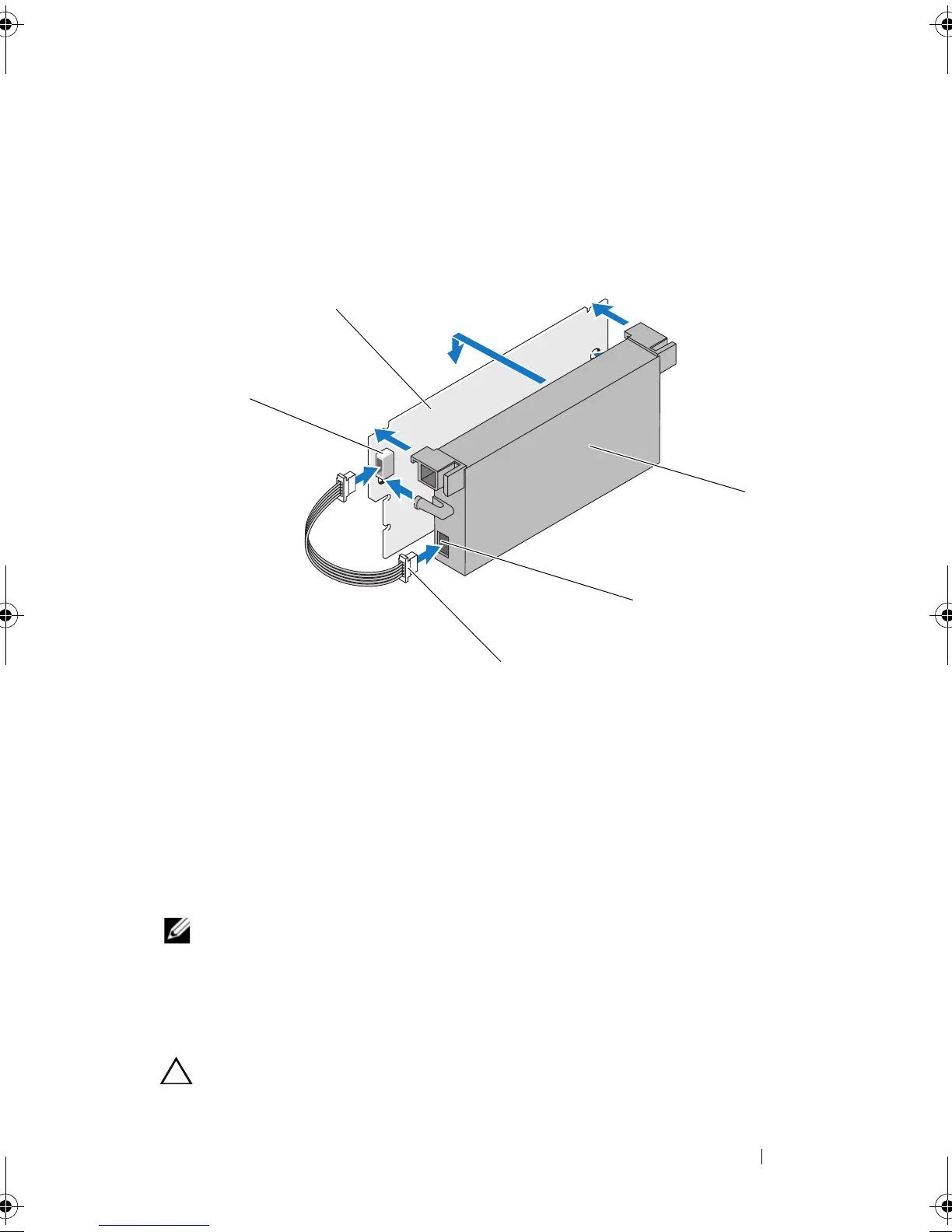
Figure 4-16. Installing the Battery and Battery Cable onto the DIMM
Installing the TBBU or TNVC on a PERC H800
Adapter
NOTE: Both the TBBU and TNVC on the PERC H800 Adapter consists of the DIMM
and a battery.
1
Check the battery attachment to the DIMM and battery cable connection.
For more information, see "Replacing the Battery and Battery Cable Onto
the DIMM of a PERC H800 Adapter" on page 60.
CAUTION: Do not touch the gold leads and do not bend the memory module.
1 connector on the DIMM 2 DIMM
3 battery 4 connector on the battery
5 battery cable
PERC7.2_UG.book Page 61 Thursday, March 3, 2011 2:14 PM















 To Next Page