Installing and Configuring Hardware 53
Installing the DIMM on a PERC H700
CAUTION: PERC H700 Modular cards, shipped in PowerEdge blade systems,
have an integrated DIMM module which cannot be removed. Do not attempt the
following procedure on a PERC H700 Modular controller card.
1
Unpack the DIMM and follow all antistatic procedures.
NOTE: Do not use excessive pressure on the connector on the DIMM while
installing the DIMM.
2
If the DIMM support is not mounted onto the DIMM, perform the
following steps to replace the DIMM support before mounting on a
PERC H700:
a
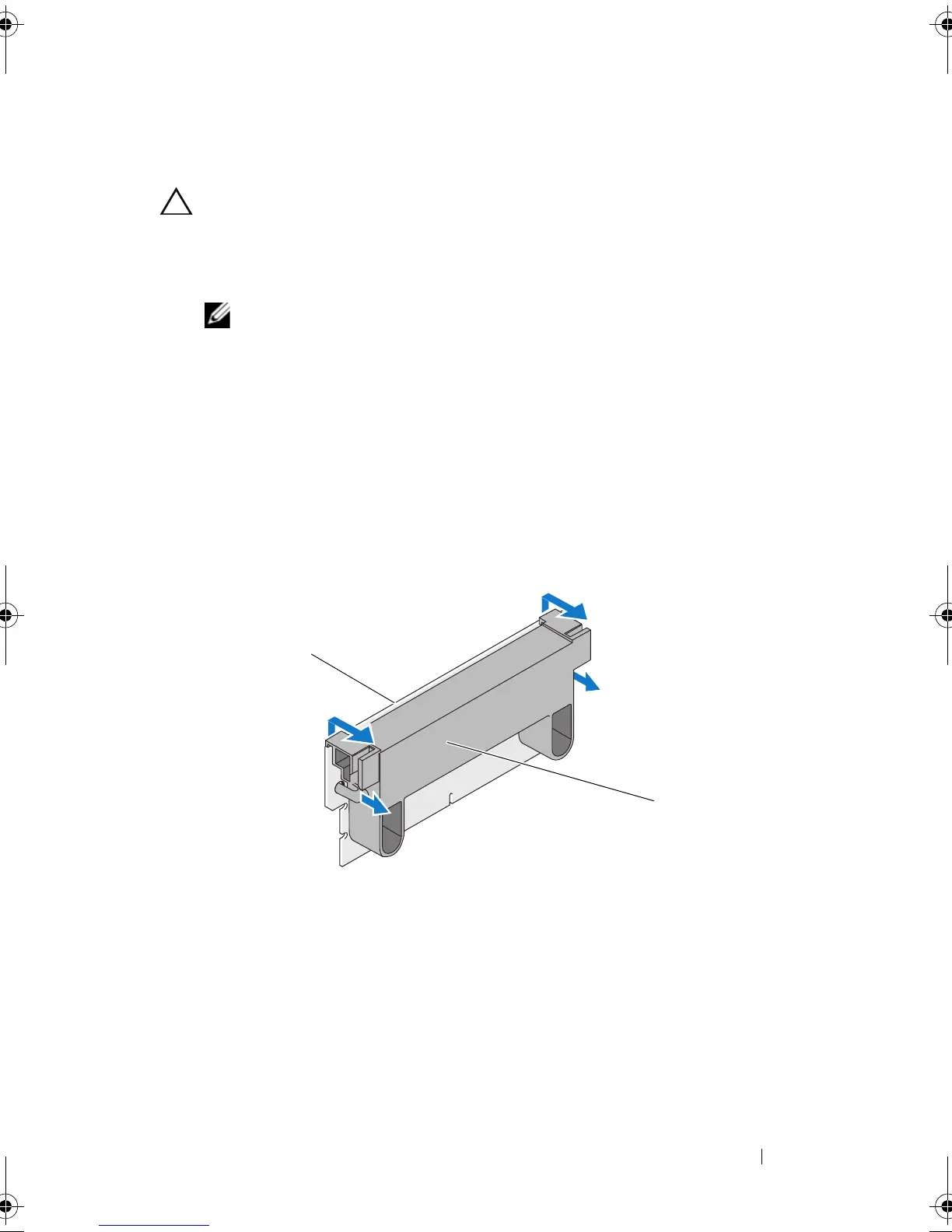
With the old DIMM removed from the controller, press out on
the DIMM support clips inserted through the DIMM rotating the
DIMM support out of the DIMM. See Figure 4-9.
Figure 4-9. Removing the DIMM Support From the DIMM
b
To mount, place the top edge of the DIMM support over the top edge
of the DIMM so that the arms on the side of the DIMM support fit
into their sockets on the DIMM. See Figure 4-10.
1 DIMM 2 DIMM support
PERC7.2_UG.book Page 53 Thursday, March 3, 2011 2:14 PM















 To Next Page