64 Installing System Components
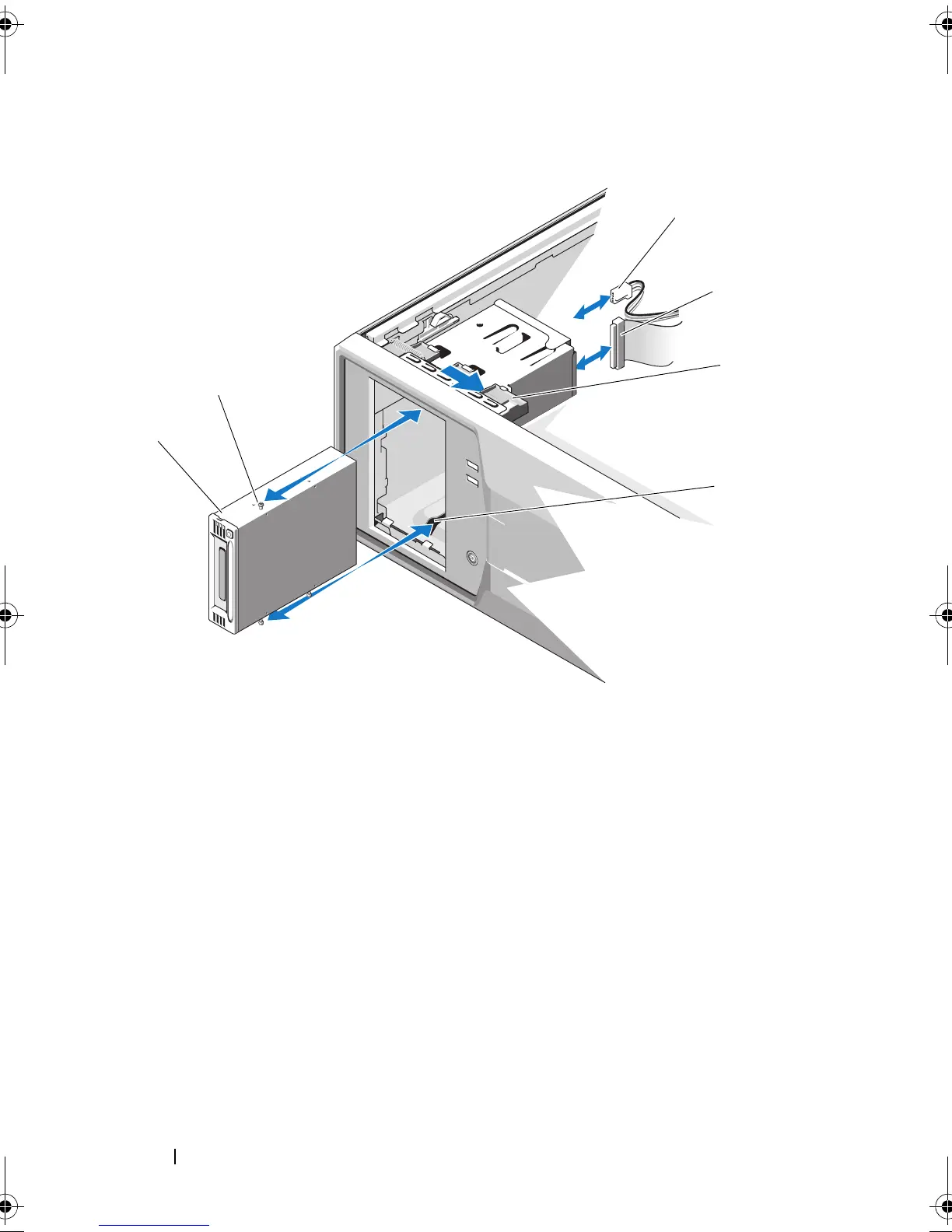
Figure 3-6. Removing and Installing a Tape Drive (SCSI Connection)
1 power cable 2 data cable
3 drive release latch 4 drive bay screw slots
5 tape drive 6 tape drive shoulder screws (3)
Mayzie_HOM.book Page 64 Monday, August 31, 2009 9:33 PM











 To Next Page