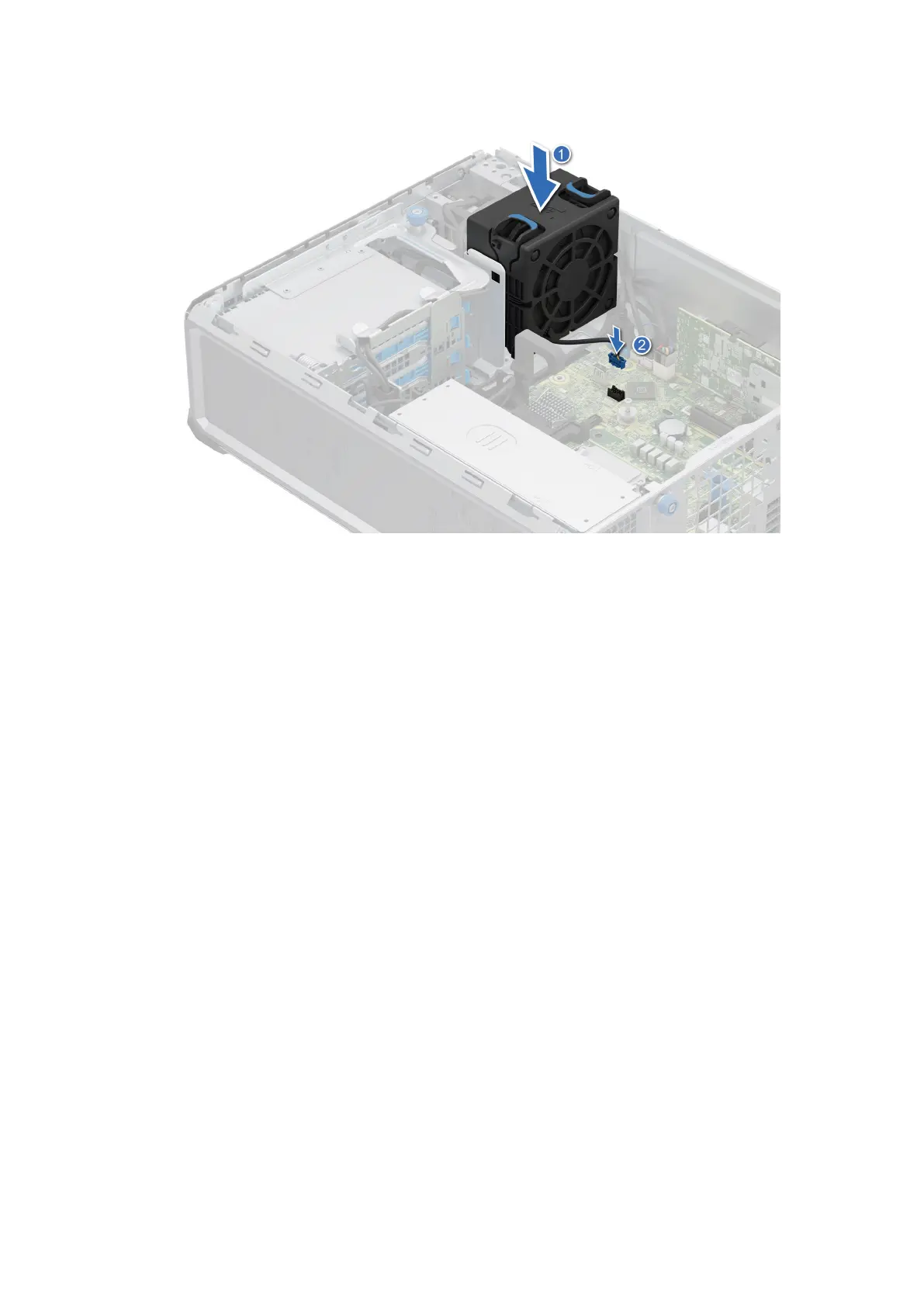
Figure 29. Installing the High Performance (HPR) PCI fan
If a BOSS or a PCIe card is installed or a 2.5 inch drive is installed in the 2.5 inch drive bay, an HPR PCI fan is needed for all
the configurations.
Next steps
1. Install the air shroud.
2. Follow the procedure listed in After working inside your system.
64
Disassembly and reassembly









 To Next Page