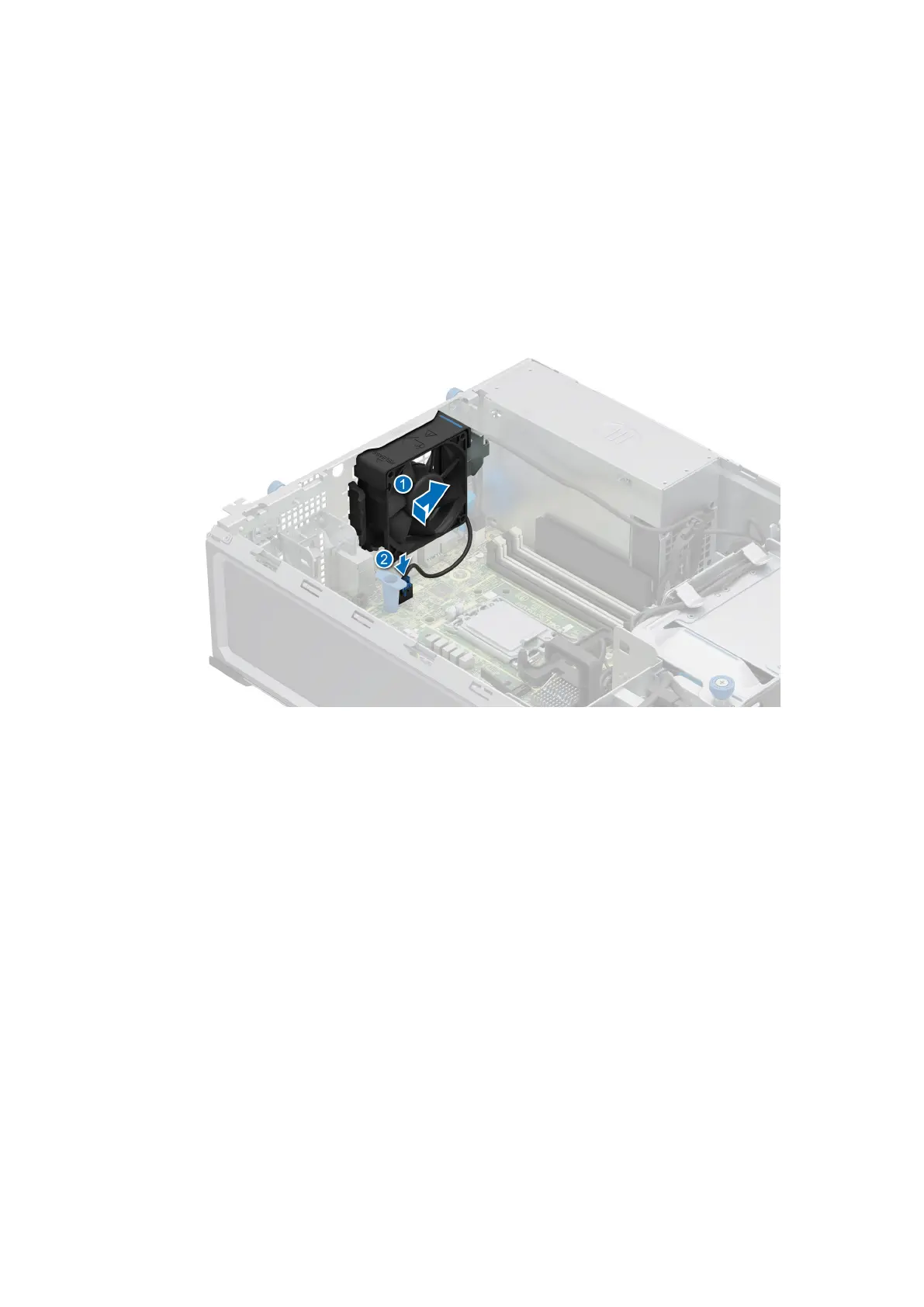
Installing the cooling fan
Prerequisites
1. Follow the safety guidelines listed in Safety instructions.
2. Follow the procedure listed in Before working inside your system.
3. Remove the air shroud.
Steps
1. Align the four tabs on the fan with the four slots on the system wall.
2. Press and slide the fan into the slot until the release tab locks into place.
3. Connect the fan cable to the connector on the system board.
Figure 28. Installing the cooling fan
Disassembly and reassembly
63









 To Next Page