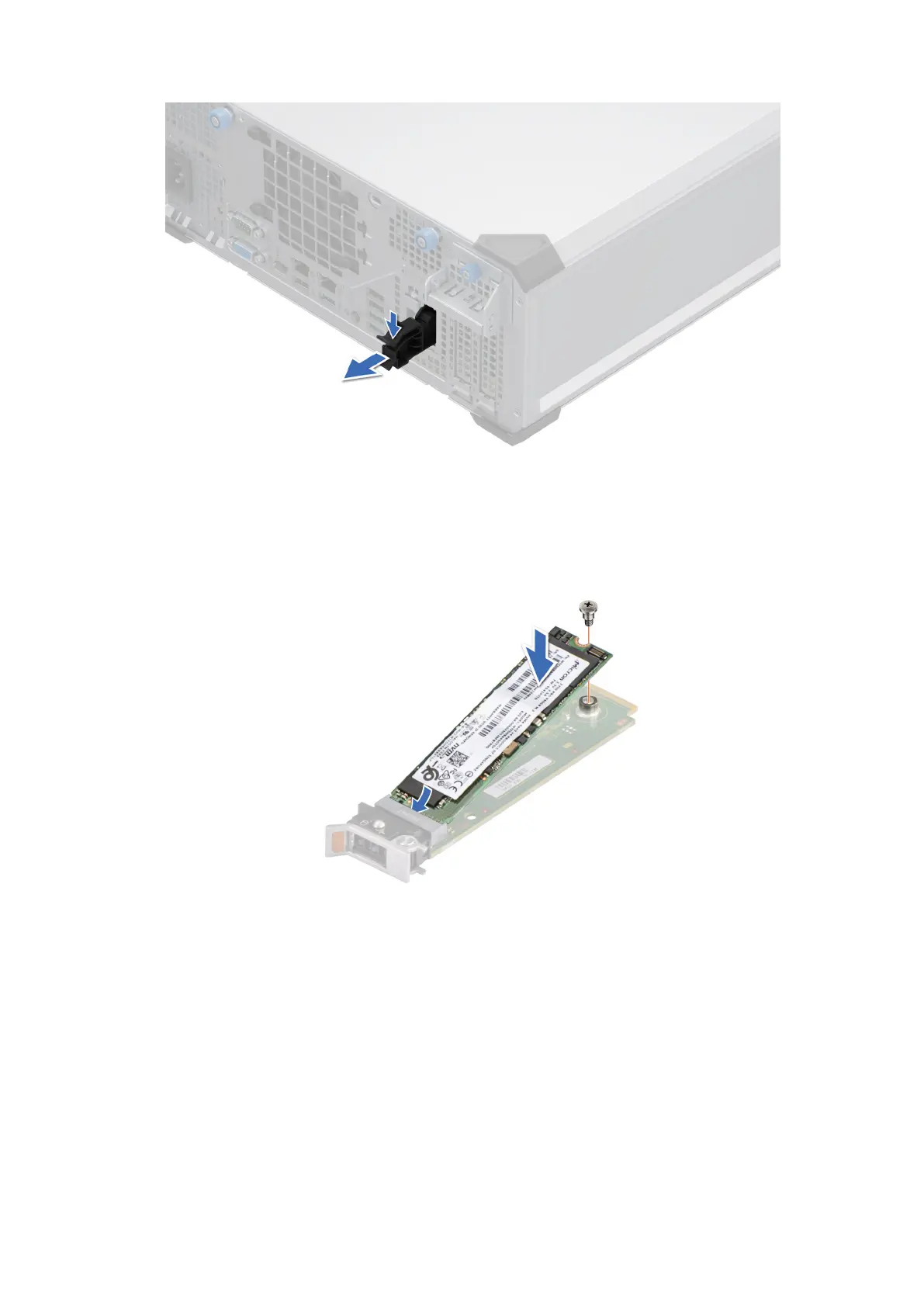
Figure 54. Removing the BOSS-N1 card carrier blank
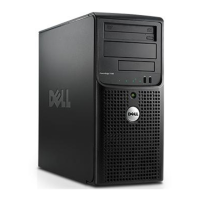
2. Align the M.2 NVMe SSD at an angle with the BOSS-N1 card carrier.
3. Insert the M.2 NVMe SSD until it is firmly seated in the BOSS-N1 card carrier.
4. Using the Phillips 1 screwdriver, secure the M.2 NVMe SSD on the BOSS-N1 card carrier with the M3 x 0.5 x 4.5 mm screw.
Figure 55. Installing the M.2 NVMe SSD
5. Align and push the BOSS-N1 card carrier into the slot in the BOSS-N1 module.
6. Close the release latch to secure the BOSS-N1 card carrier.
86
Disassembly and reassembly









 To Next Page