Template Last Updated - 2/7/2007 Setting Up Your Computer 13
DELL CONFIDENTIAL – PRELIMINARY 2/14/08 - FOR PROOF ONLY
2
Setting Up Your Computer
Quick Setup
CAUTION: Before you begin any of the procedures in this section, follow the
safety instructions in the safety information that shipped with your computer.
1
Unpack the accessories box if you have not done so already.
2
You will need the contents of the accessories box to complete the setup of
your computer.
The accessories box also contains user documentation and any software or
additional hardware (such as PC Cards, drives, or batteries) that you have
ordered.
3
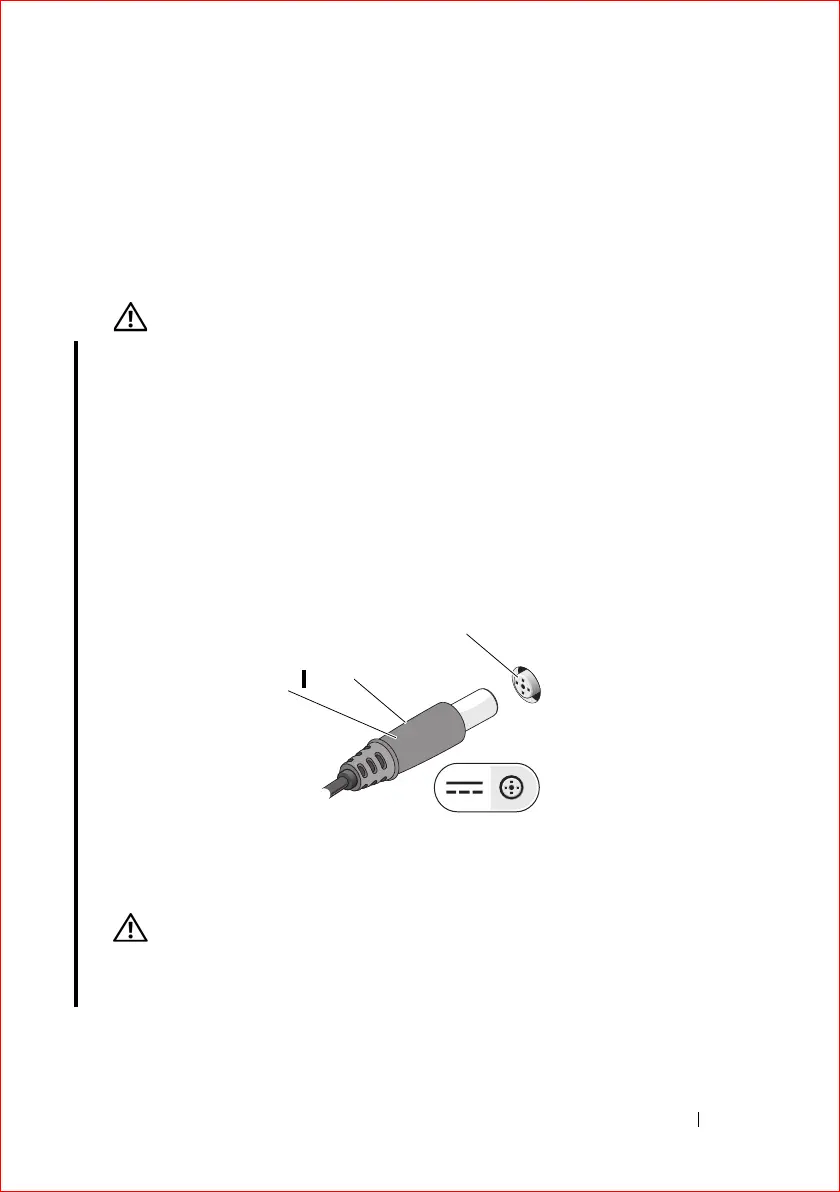
Connect the AC adapter to the AC adapter connector on the computer
and to the electrical outlet.
CAUTION: The AC adapter works with electrical outlets worldwide. However,
power connectors and power strips vary among countries. Using an incompatible
cable or improperly connecting the cable to the power strip or electrical outlet
may cause fire or equipment damage.
1 power LED 2 AC adapter cable
3 AC adapter connector
2
2
1















 To Next Page