14 Setting Up Your Computer
FILE LOCATION: C:\00_Windchill\systems\Heelys\QRG\A00\DAO_BCC\A00\EN\setting.fm
DELL CONFIDENTIAL – PRELIMINARY 2/14/08 - FOR PROOF ONLY
NOTICE: When you disconnect the AC adapter cable from the computer, grasp the
connector, not the cable itself, and pull firmly but gently to avoid damaging the
cable. When you wrap the AC adapter cable, ensure that you follow the angle of the
connector on the AC adapter to avoid damaging the cable.
4
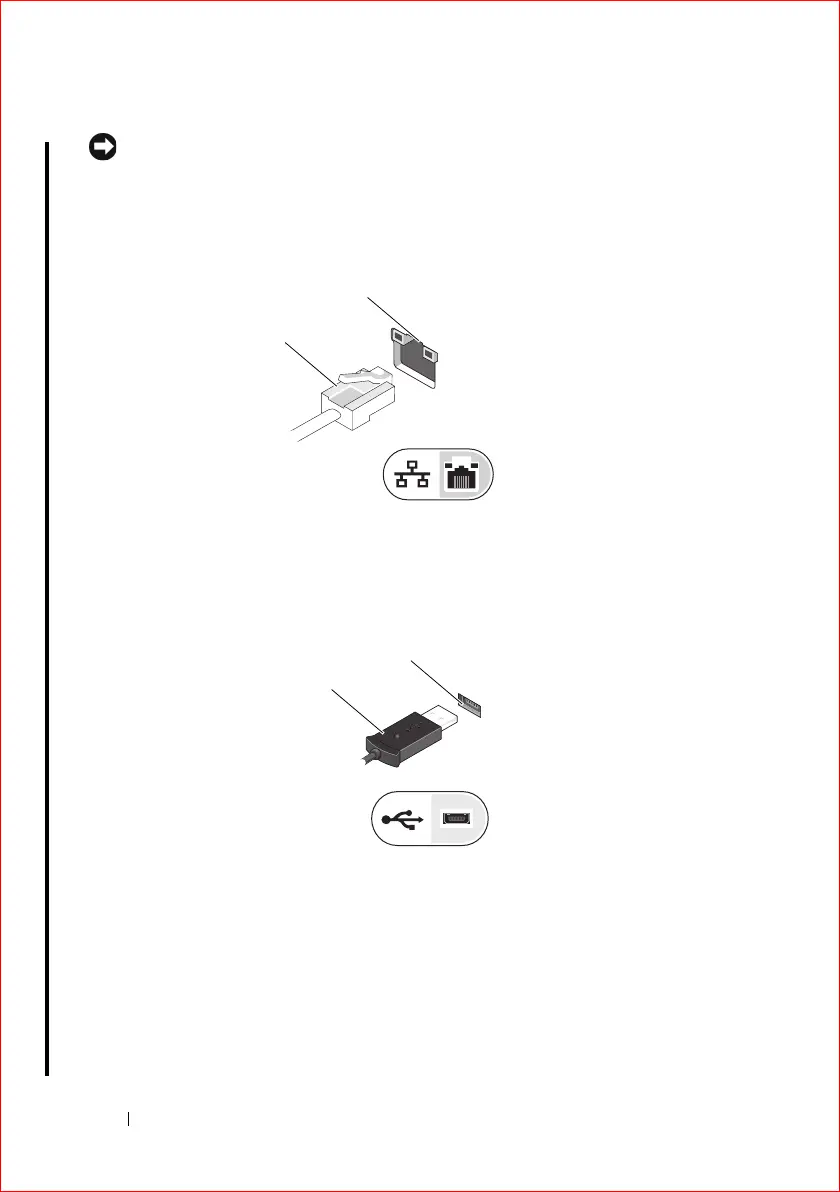
(Optional). Connect the network cable (available at dell.com if required).
5
(Optional). Connect USB devices (such as a mouse).
1 Network (ethernet) cable 2 Network (ethernet)
connector
1 USB cable 2 USB connector
2
1
2
1















 To Next Page