
 Need help?
Do you have a question about the Dell Precision 3460 and is the answer not in the manual?
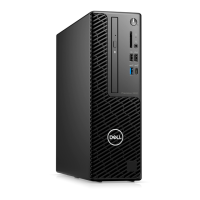
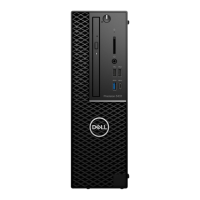
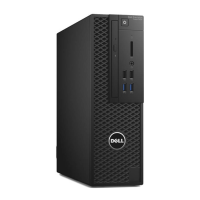
Details the front panel components of the Dell Precision 3460 Small Form Factor.
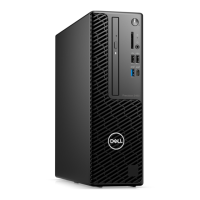
Details the back panel components of the Dell Precision 3460 Small Form Factor.
Provides physical dimensions and weight specifications for the computer.
Details the supported processor types, core counts, speeds, and cache.
Lists the details of the chipset supported by the Precision 3460 Small Form Factor.
Lists the operating systems supported by the Precision 3460 Small Form Factor.
Details memory specifications including slots, type, speed, and max configuration.
Lists memory configurations supported for the Precision 3460 Small Form Factor.
Lists and describes the external connectors on the computer.
Details the internal expansion slots and storage interfaces available.
Details the wired Ethernet Local Area Network (LAN) specifications.
Lists supported Wireless Local Area Network (WLAN) modules and their specifications.
Details the audio controller, interfaces, and speaker specifications.
Lists the storage options and configurations supported by the computer.
Explains RAID configurations and recommendations for optimal performance.
Lists the media cards supported by the Precision 3460 Small Form Factor.
Lists the power rating specifications of the power supply units.
Details the specifications of the power supply connectors for the system board.
Lists specifications for the integrated Graphics Processing Unit (GPU).
Details multiple display support for integrated and discrete graphics cards.
Lists specifications for the discrete Graphics Processing Units (GPUs) supported.
Lists the hardware security features and components available on the computer.
Details the environmental specifications including packaging and compliance.
Lists the regulatory compliance standards and certifications the computer meets.
Lists the operating and storage environmental specifications for the computer.
Provides information on Dell's self-help resources and online support.
Information on how to contact Dell for sales, technical support, or service.
The Dell Precision 3460 Small Form Factor is a compact and powerful workstation designed for professional use, offering a balance of performance and space efficiency. This device is engineered to handle demanding applications, making it suitable for tasks such as CAD, content creation, data analysis, and other intensive workloads. Its small form factor design allows for versatile placement in various work environments, from traditional office desks to more confined spaces, without compromising on internal expandability or connectivity.
The primary function of the Precision 3460 SFF is to serve as a reliable and high-performance computing platform for professionals. It integrates advanced processing capabilities, robust memory support, and flexible storage options to ensure smooth operation even with complex software and large datasets. The system is built to be a workhorse, providing the computational power necessary for tasks that require significant processing power and graphical fidelity.
One of the key usage features of the Precision 3460 SFF is its comprehensive connectivity. The front panel offers easily accessible ports, including USB 2.0 with PowerShare, standard USB 2.0, USB 3.2 Gen 2x2 Type-C, and USB 3.2 Gen 2 ports, alongside a universal audio port and an optional SD-card reader. This array of front-facing ports simplifies connecting peripherals like keyboards, mice, external drives, and audio devices, enhancing user convenience. For more permanent connections and additional expansion, the rear panel provides a rich selection of ports. These include multiple DisplayPort 1.4 ports, USB 3.2 Gen 2 and Gen 1 ports, USB 2.0 ports with Smart Power On, an RJ45 Ethernet port, and an optional HDMI 2.0b/DisplayPort 1.4/VGA/USB 3.2 Gen 2 Type-C port with DisplayPort Alt Mode. This extensive port selection ensures compatibility with a wide range of monitors, network infrastructures, and other essential peripherals, supporting multi-display setups for enhanced productivity.
The Precision 3460 SFF also supports various operating systems, including multiple editions of Windows 11 and Windows 10 IoT Enterprise, as well as Linux distributions like Kylin Linux Desktop and Ubuntu Linux. This flexibility allows users to choose the environment that best suits their workflow and software requirements. The system's ability to connect to both wired and wireless networks (via an optional wireless module) provides versatile internet access, catering to different office setups and user preferences. For display connectivity, the device supports both integrated and discrete graphics processing units (GPUs), allowing users to configure the system based on their specific graphical demands. The integrated graphics support multiple displays, while discrete GPU options offer even greater performance and display output capabilities, including support for 4K and 5K resolutions, crucial for visual professionals.
In terms of internal expandability, the Precision 3460 SFF is designed with future upgrades in mind. It features multiple internal slots, including PCIe expansion slots for adding dedicated graphics cards or other expansion cards, and M.2 slots for high-speed solid-state drives (SSDs). The system also supports traditional SATA hard drives, providing a balance between speed and storage capacity. This internal flexibility ensures that the workstation can evolve with changing professional needs, extending its lifespan and utility.
Security is another important aspect of the Precision 3460 SFF. It incorporates several hardware security features to protect data and the system itself. These include a Kensington security-cable slot and a padlock ring for physical security, chassis lock slot support, and a chassis intrusion switch to detect unauthorized access. Software-based security enhancements like SafeID with Trusted Platform Module (TPM) 2.0, Microsoft 10 Device Guard and Credential Guard, and Microsoft Windows Bitlocker further safeguard sensitive information. The inclusion of local hard drive data wipe through BIOS (Secure Erase) and support for self-encrypting storage drives (Opal, FIPS) provides robust data protection, which is critical for professional environments handling confidential data.
Maintenance features for the Precision 3460 SFF are designed to be straightforward, ensuring ease of management and longevity. The system is built with a focus on accessibility for internal components, which simplifies upgrades and repairs. Dell provides comprehensive support resources, including online documentation, knowledge base articles, and customer support services, to assist users with troubleshooting and maintenance tasks. The Dell apps, such as My Dell, Dell Update, and SupportAssist, offer centralized tools for managing system health, updating drivers, and accessing support information. SupportAssist, in particular, proactively checks hardware and software health, and its OS Recovery tool helps resolve operating system issues, minimizing downtime. Dell Update ensures that the system's drivers and critical fixes are always up-to-date, contributing to optimal performance and stability.
The device is also designed with environmental considerations in mind. It supports recyclable packaging and offers energy-efficient power supply options, aligning with modern sustainability practices. The regulatory compliance information indicates adherence to various international standards, ensuring the product meets global environmental and safety requirements.
Overall, the Dell Precision 3460 Small Form Factor is a versatile and powerful workstation that combines high performance, extensive connectivity, robust security, and user-friendly maintenance features in a compact design. It is an ideal choice for professionals who require a reliable and adaptable computing solution for demanding tasks, while also valuing space efficiency and long-term manageability.
 General
| Form Factor | Small Form Factor (SFF) |
|---|---|
| Chipset | Intel W680 |
| Memory Slots | 4 DIMM slots |
| Processor | 12th Gen Intel Core i5/i7/i9 |
| Storage | Up to 2TB M.2 PCIe NVMe SSD |
| Graphics | Intel UHD Graphics 730 |
| Operating System | Windows 11 Pro, Windows 11 Home, Ubuntu |
| Ports | USB 3.2 Gen 2, USB-C, HDMI, DisplayPort |
| Expansion Slots | 1 PCIe x16 |
| Front Ports | 2 x USB 3.2 Gen 1 |
| Rear Ports | 2 x USB 2.0 |
| Power Supply | 260W |
| Dimensions | 290 mm |







 To Next Page