EasyManua.ls Logo

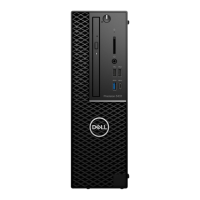
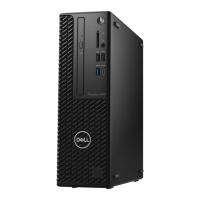
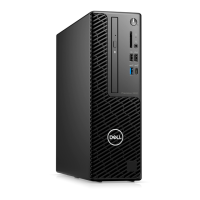
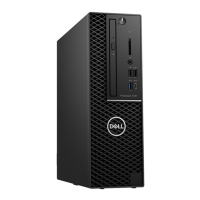
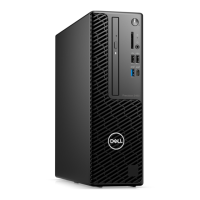
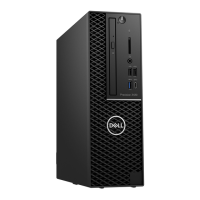
Dell Precision 3430 Small Form Factor - User Manual

Dell Precision 3430 Small Form Factor
121 pages
Print Icon
To Next Page IconTo Next Page
Loading...
Dell Precision 3430 Small Form Factor
Service Manual
Regulatory Model: D11S
Regulatory Type: D11S004

Table of Contents

Questions and Answers

  • S
    Sean RomeroSep 23, 2025
    How to fix 'Invalid Configuration Information' on Dell Precision 3430 Small Form Factor Desktop?
    • J
      jeffrey58Sep 23, 2025
      To resolve 'Invalid Configuration Information' on your Dell Desktop, correct the appropriate options in the system setup program.
  • W
    Wendy TateAug 23, 2025
    What to do if my Dell Precision 3430 Small Form Factor says 'Operating System Not Found'?
    • J
      jeffreywilliamsAug 23, 2025
      If your Dell Desktop displays the error message 'Operating System Not Found', reinstall the operating system. If the problem persists, contact Dell.
  • S
    Scott McleanAug 25, 2025
    What to do if my Dell Precision 3430 Small Form Factor Desktop says 'No Boot Device Available'?
    • L
      Lindsey MorrisAug 25, 2025
      If your Dell Desktop displays 'No Boot Device Available', and you're using the hard drive as your boot device, make sure the drive is installed correctly, properly seated, and partitioned as a boot device.
  • A
    Aaron Malone DVMAug 26, 2025
    How to fix 'Hard-Disk Drive Failure' on Dell Precision 3430 Small Form Factor Desktop?
    • L
      livingstonerinAug 27, 2025
      To fix a hard-disk drive failure on your Dell Desktop: Shut down the computer, remove the hard drive, and boot the computer from an optical drive. Then, shut down the computer again, reinstall the hard drive, and restart the computer. If the problem continues, try using another drive. Also, run the Hard Disk Drive tests in Dell Diagnostics.
  • A
    Amanda LarsonAug 27, 2025
    How to fix 'Hard-Disk Drive Configuration Error' on Dell Precision 3430 Small Form Factor Desktop?
    • A
      Anthony JohnsonAug 27, 2025
      To resolve a hard-disk drive configuration error on your Dell Desktop: Shut down the computer, remove the hard drive, and boot the computer from an optical drive. Then, shut down the computer, reinstall the hard drive, and restart the computer. Run the Hard Disk Drive tests in Dell Diagnostics.
  • V
    Vincent LoganSep 17, 2025
    What to do if my Dell Desktop says 'Disk C: Failed Initialization'?
    • T
      Theresa CarneySep 17, 2025
      If your Dell Desktop displays the error 'Disk C: Failed Initialization', run the hard drive tests in Dell Diagnostics.
  • W
    William LynnSep 14, 2025
    How to fix 'Shutdown Failure' on Dell Precision 3430 Small Form Factor?
    • G
      George AdamsSep 14, 2025
      To fix a shutdown failure on your Dell Desktop, run the System Set tests in Dell Diagnostics. If the message reappears, contact Dell.
  • J
    jibarraSep 15, 2025
    How to fix 'Sector Not Found' on Dell Precision 3430 Small Form Factor Desktop?
    • M
      mirandamoranSep 15, 2025
      To fix a 'Sector Not Found' error on your Dell Desktop, run the Windows error-checking utility to check the file structure on the hard drive.
  • R
    rwilliamsSep 6, 2025
    What does 'Auxiliary Device Failure' mean on my Dell Precision 3430 Small Form Factor and how do I fix it?
    • L
      Lori FranklinSep 6, 2025
      If you're getting an 'Auxiliary Device Failure' message on your Dell Desktop, the touchpad or external mouse may be faulty. For an external mouse, check the cable connection. You can also enable the Pointing Device option in the System Setup program.
  • M
    Michele Parker MDSep 3, 2025
    How to fix 'Keyboard Controller Failure' on Dell Precision 3430 Small Form Factor Desktop?
    • R
      Rhonda DavisSep 3, 2025
      To fix a keyboard controller failure on your Dell Desktop, check the cable connection if you're using an external keyboard. Restart the computer, and avoid touching the keyboard or the mouse during the boot routine. Run the Keyboard Controller test in Dell Diagnostics.

Dell Precision 3430 Small Form Factor Specifications

General IconGeneral
BrandDell
ModelPrecision 3430 Small Form Factor
CategoryDesktop
LanguageEnglish

Related product manuals