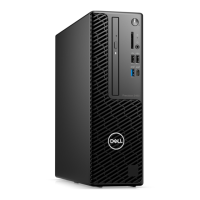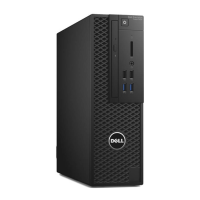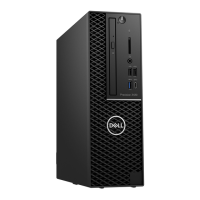
EasyManua.ls Logo

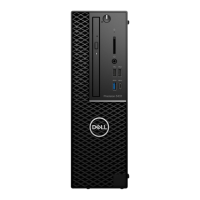
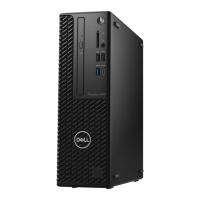
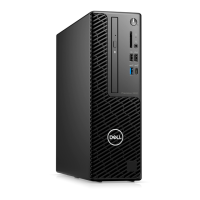
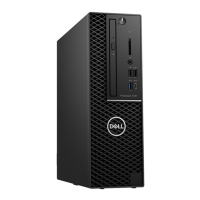
Dell Precision 3430 Small Form Factor - User Manual

Dell Precision 3430 Small Form Factor
121 pages
Print Icon
To Next Page IconTo Next Page
Loading...
Dell Precision 3430 Small Form Factor
Service Manual
Regulatory Model: D11S
Regulatory Type: D11S004

Table of Contents

Questions and Answers

  • B
    barbara16Sep 7, 2025
    How to fix 'Memory Address Line Failure' on Dell Precision 3430 Small Form Factor Desktop?
    • D
      Darren NguyenSep 7, 2025
      If you encounter a 'Memory Address Line Failure' on your Dell Desktop, a memory module may be faulty or improperly seated. Reinstall the memory module, or replace it if necessary.
  • L
    Luke LozanoAug 22, 2025
    What to do if my Dell Precision 3430 Small Form Factor Desktop says 'Not Enough Memory or Resources'?
    • J
      Joel KaneAug 22, 2025
      If your Dell Desktop displays the error message 'Not Enough Memory or Resources', it means you have too many programs running simultaneously. To resolve this, close all open windows and then reopen only the program you need to use.
  • B
    Brianna JenningsSep 4, 2025
    How to fix 'Keyboard Clock Line Failure' on Dell Desktop?
    • L
      Laura PowellSep 5, 2025
      If you encounter a keyboard clock line failure on your Dell Desktop, and you are using an external keyboard, check the cable connection. Additionally, run the Keyboard Controller test in Dell Diagnostics.
  • M
    Michele Parker MDSep 3, 2025
    How to fix 'Keyboard Controller Failure' on Dell Precision 3430 Small Form Factor Desktop?
    • R
      Rhonda DavisSep 3, 2025
      To fix a keyboard controller failure on your Dell Desktop, check the cable connection if you're using an external keyboard. Restart the computer, and avoid touching the keyboard or the mouse during the boot routine. Run the Keyboard Controller test in Dell Diagnostics.
  • B
    Bill GreeneSep 2, 2025
    What to do if my Dell Desktop says 'Time-of-Day Clock Stopped'?
    • C
      Christopher CarrollSep 2, 2025
      If your Dell Desktop displays the error 'Time-of-Day Clock Stopped', connect your computer to an electrical outlet to charge the battery. If the problem persists, contact Dell.
  • G
    glennmartinezAug 31, 2025
    What to do if my Dell Precision 3430 Small Form Factor Desktop says 'Time-of-Day Clock Lost Power'?
    • J
      James JohnsonAug 31, 2025
      If your Dell Desktop displays the error 'Time-of-Day Clock Lost Power', connect your computer to an electrical outlet to charge the battery. If the problem continues, try to restore the data by entering the System Setup program, then immediately exit the program. If the message reappears, contact Dell.
  • S
    Susan RayAug 30, 2025
    How to fix 'Decreasing Available Memory' on Dell Desktop?
    • R
      Richard JohnsonAug 30, 2025
      If your Dell Desktop shows decreasing available memory, it could be due to faulty or improperly seated memory modules. Try reinstalling the memory modules, and if necessary, replace them.
  • A
    Andrew GonzalezAug 29, 2025
    What to do if my Dell Precision 3430 Small Form Factor says 'Hard-Disk Drive Controller Failure 0'?
    • F
      Frances RoyAug 29, 2025
      If your Dell Desktop displays 'Hard-Disk Drive Controller Failure 0': Shut down the computer, remove the hard drive, and boot the computer from an optical drive. Then, shut down the computer, reinstall the hard drive, and restart the computer. If the problem persists, try another drive. Run the Hard Disk Drive tests in Dell Diagnostics.
  • A
    Amanda LarsonAug 27, 2025
    How to fix 'Hard-Disk Drive Configuration Error' on Dell Precision 3430 Small Form Factor Desktop?
    • A
      Anthony JohnsonAug 27, 2025
      To resolve a hard-disk drive configuration error on your Dell Desktop: Shut down the computer, remove the hard drive, and boot the computer from an optical drive. Then, shut down the computer, reinstall the hard drive, and restart the computer. Run the Hard Disk Drive tests in Dell Diagnostics.
  • A
    Aaron Malone DVMAug 26, 2025
    How to fix 'Hard-Disk Drive Failure' on Dell Precision 3430 Small Form Factor Desktop?
    • L
      livingstonerinAug 27, 2025
      To fix a hard-disk drive failure on your Dell Desktop: Shut down the computer, remove the hard drive, and boot the computer from an optical drive. Then, shut down the computer again, reinstall the hard drive, and restart the computer. If the problem continues, try using another drive. Also, run the Hard Disk Drive tests in Dell Diagnostics.

Dell Precision 3430 Small Form Factor Specifications

General IconGeneral
BrandDell
ModelPrecision 3430 Small Form Factor
CategoryDesktop
LanguageEnglish

Related product manuals