EasyManua.ls Logo

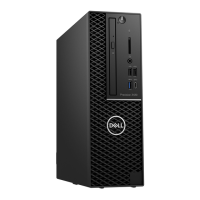
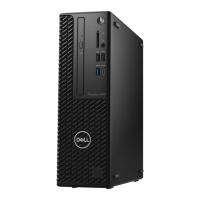
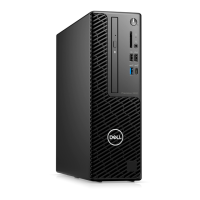
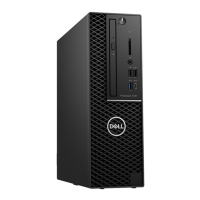
Dell Precision 3431 Small Form Factor - User Manual

Dell Precision 3431 Small Form Factor
127 pages
Print Icon
To Next Page IconTo Next Page
Loading...
Dell Precision 3431 Small Form Factor
Service Manual
Regulatory Model: D11S
Regulatory Type: D11S004

Table of Contents

Other manuals for Dell Precision 3431 Small Form Factor

Questions and Answers

  • J
    James LopezAug 20, 2025
    What to do if Dell Precision 3431 Small Form Factor power LED is blinking white?
    • X
      xjosephAug 20, 2025
      If the power LED light on your Dell Desktop is slowly blinking white, it indicates that the computer is in sleep mode. To bring the computer out of sleep mode, press the power button. Also, ensure all power cables, including the main power cable and front panel cable, are securely connected to the system board.
  • M
    Melissa ShawAug 21, 2025
    Why is the power LED on my Dell Precision 3431 Small Form Factor blinking amber?
    • M
      Michael RobinsonAug 22, 2025
      If the power LED light on your Dell Desktop is steady or blinking amber, it indicates that the computer fails to complete POST or there is a processor failure. Try removing and reinstalling any cards, including the graphics card if applicable. Also, ensure the power cable is connected to the system board and processor.
  • E
    emily41Aug 25, 2025
    What to do for memory failures on a Dell Precision 3431 Small Form Factor Desktop?
    • L
      Leslie ThompsonAug 25, 2025
      If your Dell Desktop is experiencing memory failures, try reseating the memory and swapping it with a known good memory module if available. If these steps don't resolve the issue, replace the memory.
  • S
    Summer RussoAug 26, 2025
    How to troubleshoot possible memory failure on Dell Precision 3431 Small Form Factor Desktop?
    • S
      stephen34Aug 26, 2025
      If your Dell Desktop has a possible memory failure, try removing the memory modules one by one to determine which one has failed. If you identify a failed memory module, replace it. Otherwise, replace the motherboard.
  • C
    Cheryl GonzalezAug 28, 2025
    How to fix memory configuration error on Dell Precision 3431 Small Form Factor?
    • G
      garciamelissaAug 28, 2025
      If your Dell Desktop has memory configuration or incompatible errors, try removing the memory modules one by one from the motherboard to determine which one has failed. Also, combine the modules in different configurations to validate an appropriate combination. If you identify a failed component, replace it. If none of the components have failed, replace the motherboard.
  • K
    Kimberly SimonAug 30, 2025
    How to fix Dell Precision 3431 Small Form Factor if power LED light is off?
    • S
      Shane BrownAug 30, 2025
      If the power LED on your Dell Desktop is off, first, re-seat the power cable in the power connector on the back of the computer and the electrical outlet. If your computer is plugged into a power strip, ensure that the power strip is plugged into an electrical outlet and is turned on. Try bypassing power protection devices, power strips, and power extension cables. Also, verify the electrical outlet is working by testing it with another device.
  • P
    Preston GillespieSep 1, 2025
    How to resolve BIOS checksum failure on Dell Precision 3431 Small Form Factor?
    • C
      Colleen SanchezSep 1, 2025
      If your Dell Desktop has a BIOS checksum failure, the system is in Recovery Mode. Flash the latest BIOS version. If the problem persists, replace the motherboard.
  • B
    Barbara FrancisSep 2, 2025
    What to do if Dell Desktop has no memory detected?
    • M
      makaylamcgeeSep 3, 2025
      If your Dell Desktop is not detecting memory, try removing the memory modules one by one to determine which one has failed. If available, swap each module with a known good memory module to confirm. Replace the faulty memory. If none of the memory modules have failed, replace the motherboard.
  • M
    michaelmccoySep 5, 2025
    How to troubleshoot PCIe device failures on Dell Precision 3431 Small Form Factor?
    • D
      Dr. Melanie Garcia MDSep 5, 2025
      If your Dell Desktop has PCIe device or video subsystem failures, try reseating the PCIe card and removing them one by one to determine which card has failed. If you identify a failed PCIe card, replace it. If none of the PCIe cards have failed, replace the motherboard.
  • G
    Gregory JamesSep 6, 2025
    How to fix video subsystem failure on Dell Desktop?
    • K
      Keith BakerSep 7, 2025
      If your Dell Desktop has a video subsystem failure, try removing the cards one by one to determine which card has failed. If you identify a failed card, replace it. If none of the cards have failed, replace the motherboard.

Dell Precision 3431 Small Form Factor Specifications

General IconGeneral
BrandDell
ModelPrecision 3431 Small Form Factor
CategoryDesktop
LanguageEnglish

Related product manuals