Views of Precision 7560
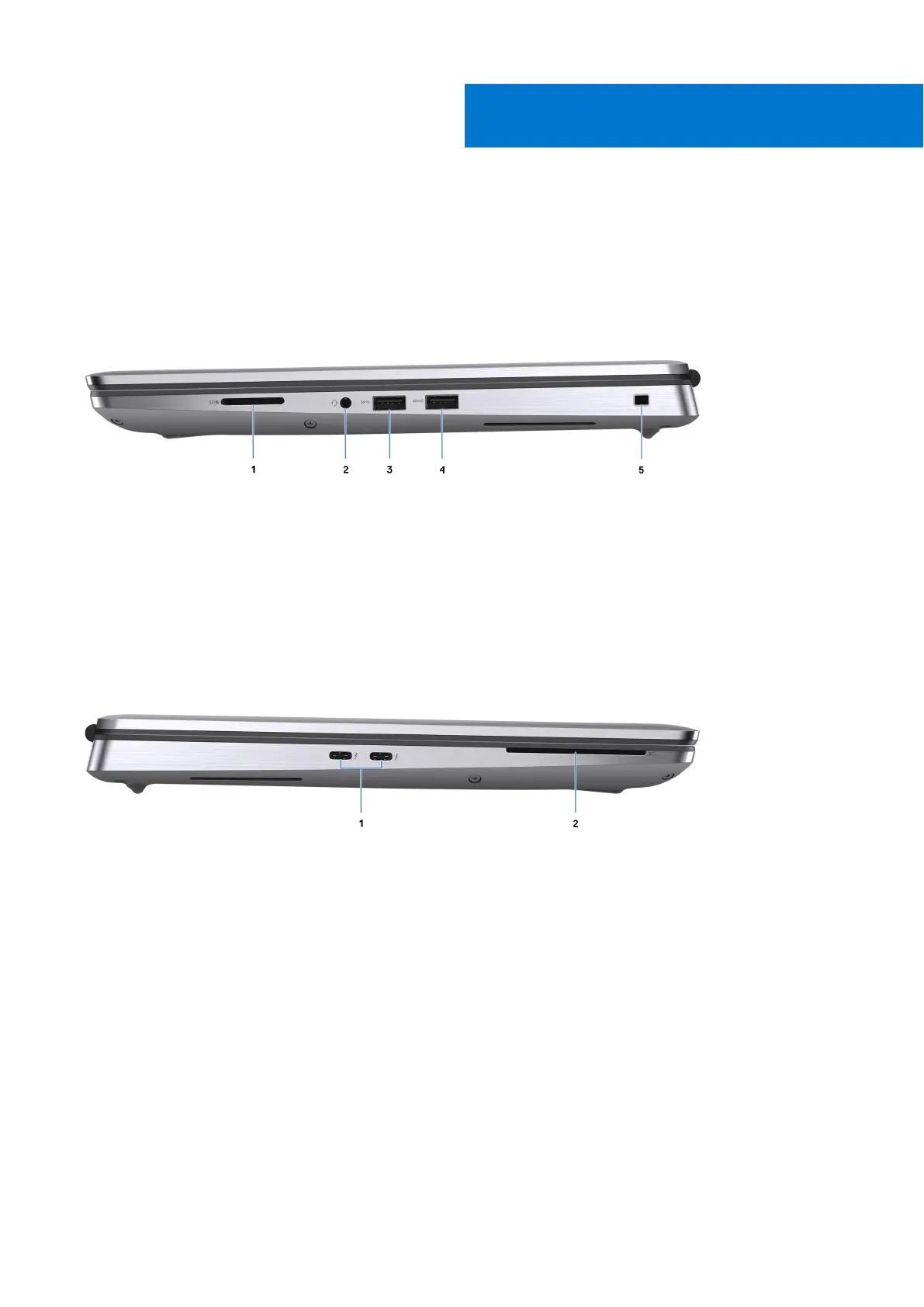
Right
1. SD-card slot
2. Global headset jack
3. USB 3.2 Gen 1 Type-A port
4. USB 3.2 Gen 1 Type-A port with PowerShare
5. Wedge-shaped lock slot
Left
1. Two USB 3.2 Gen 2 Type-C Thunderbolt 4 ports
2. Smart-card reader (optional)
2
Views of Precision 7560 7














 To Next Page