19. Remove the system board.
20. Remove the speakers.
21. Remove the display assembly.
22. Remove the display bezel.
23. Remove the display panel.
About this task
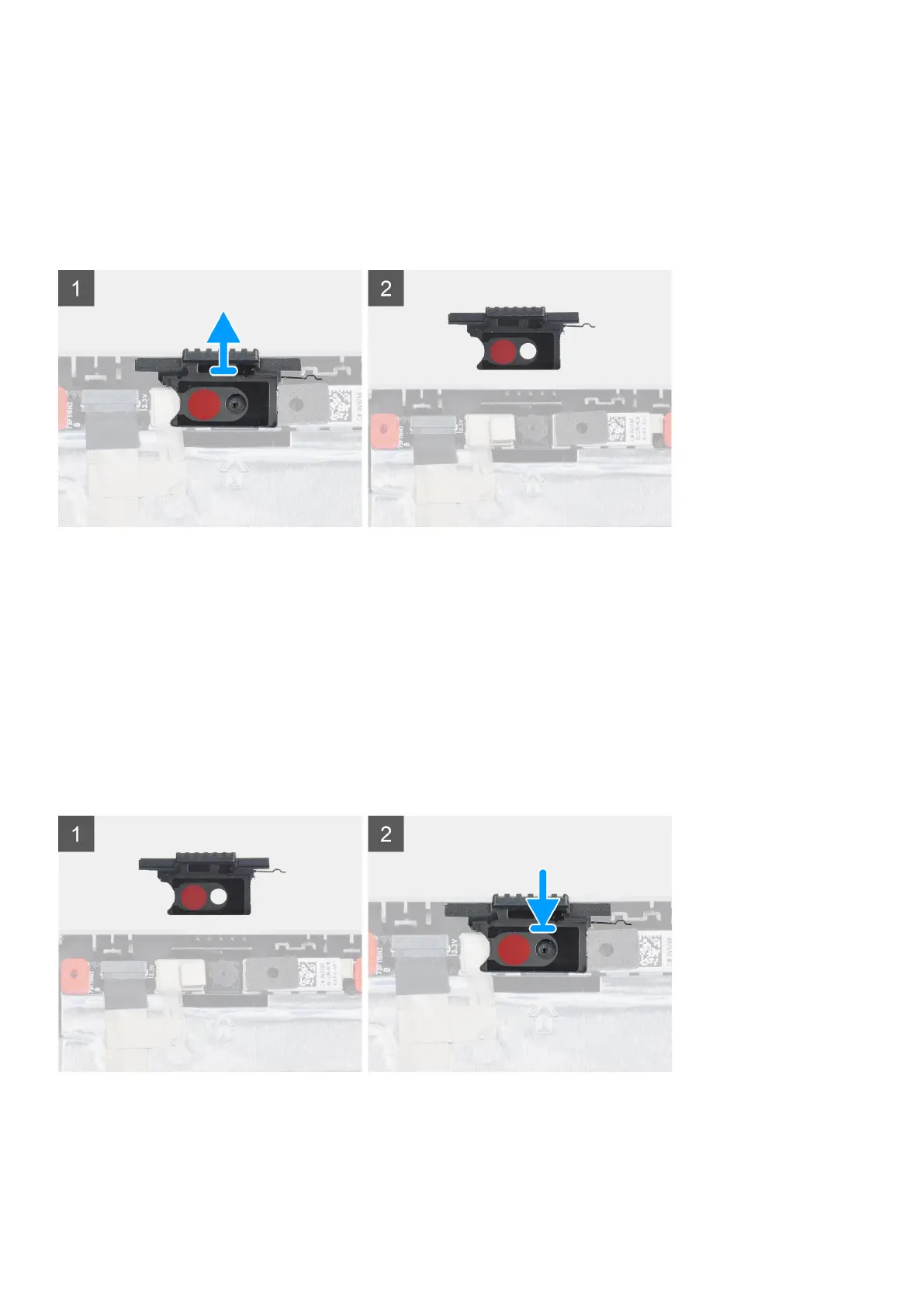
The figure indicates the location of the camera shutter cap and provides a visual representation of the removal procedure.
Steps
1. Pull the camera shutter cap from its slot on the display back cover.
2. Remove the camera shutter cap from the camera module.
Installing camera shutter cap
Prerequisites
If you are replacing a component, remove the existing component before performing the installation procedure.
About this task
The figure indicates the location of the camera shutter cap and provides a visual representation of the installation procedure.
Steps
1. Align the cap with the display back cover so that the red dot on the cap faces up and the opening on the cap aligns with the
aperture on the camera.
2. Place the cap onto the camera module.
Removing and installing components
107














 To Next Page