Steps
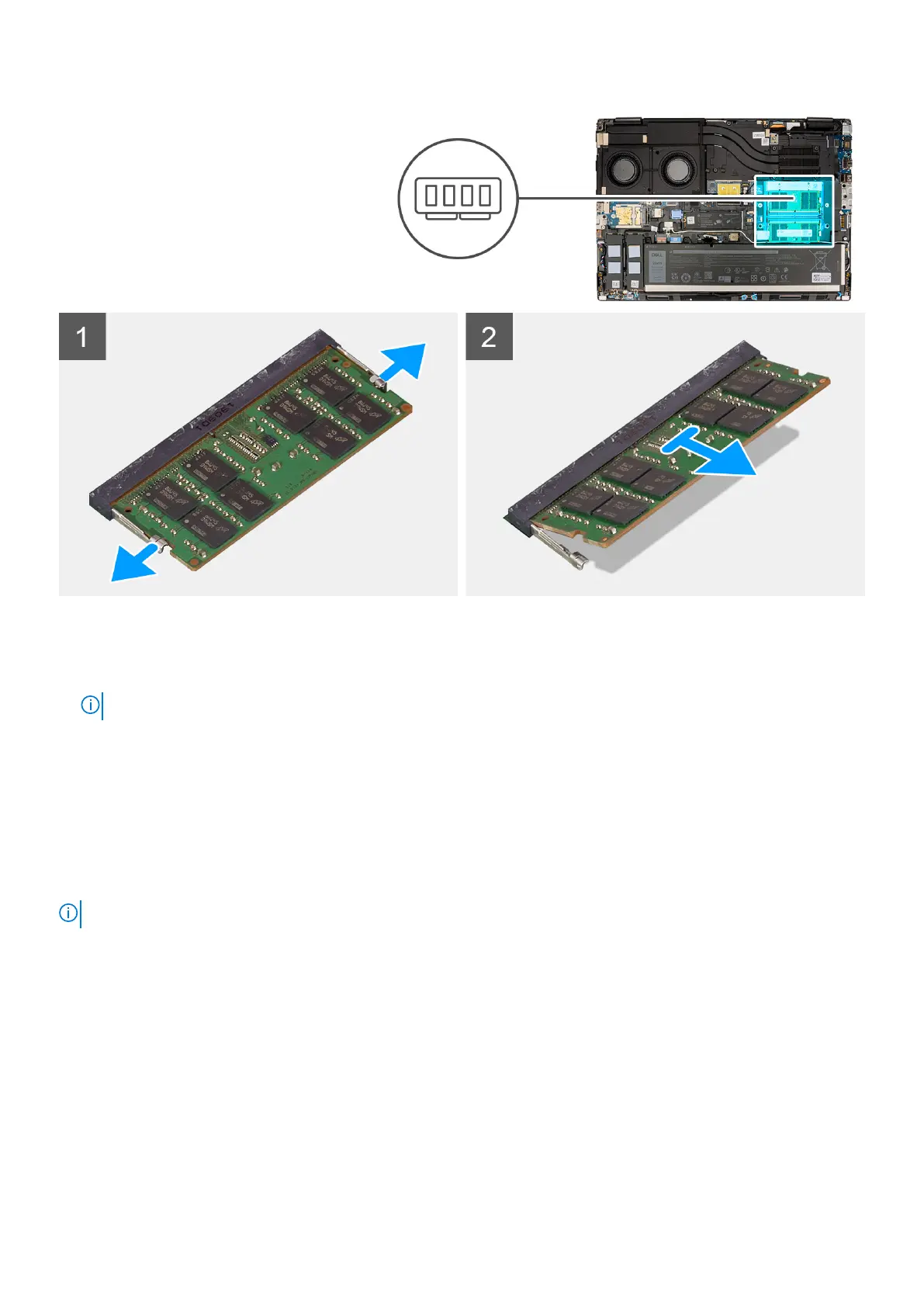
1. Pry the securing clips from both side of the memory module until the memory module pops up.
2. Remove the memory module from the memory-module slot.
NOTE: Repeat the above steps if there are other memory-module installed.
Installing the memory module
Prerequisites
If you are replacing a component, remove the existing component before performing the installation procedure.
About this task
NOTE: For models shipped with a SODIMM configuration.
The figure indicates the location of the memory module and provides a visual representation of the installation procedure.
34
Removing and installing components














 To Next Page