About this task
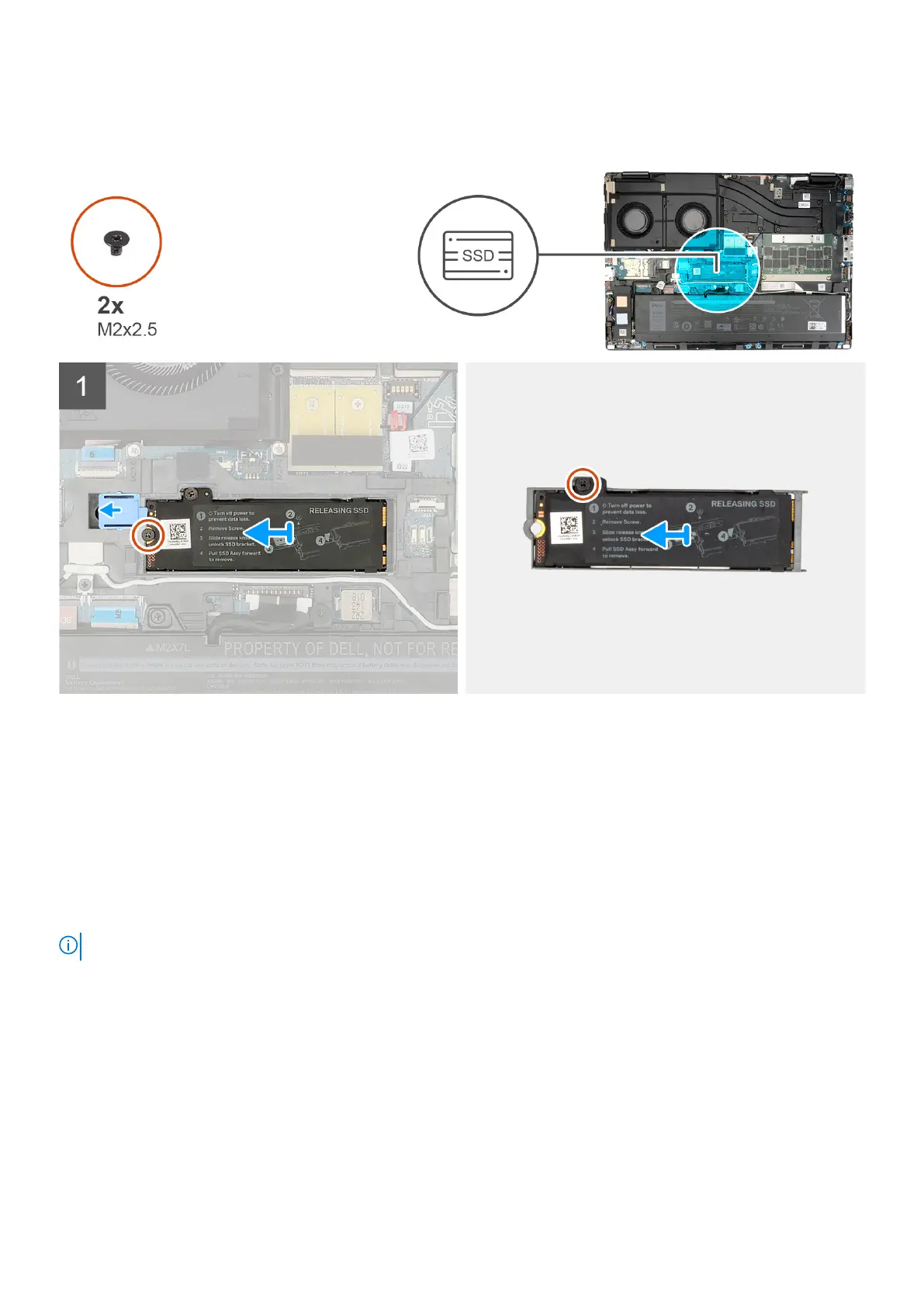
The figure indicates the location of the primary M.2 SSD and provides a visual representation of the removal procedure.
Steps
1. Remove the (M2x2.5) screw that secures the SSD thermal plate to the M.2 SSD module.
2. Slide the SSD release latch into the unlock position and remove the SSD assembly from the system chassis.
3. Remove the (M2x2.5) screw that secures the SSD thermal plate to the SSD carrier.
4. Lift to remove the SSD from the SSD thermal plate.
Installing the primary M.2 SSD module
Prerequisites
NOTE: For computers shipped with M.2 2280 or 2230 Solid-state drive that is installed in slot 3.
If you are replacing a component, remove the existing component before performing the installation procedure.
About this task
The figure indicates the location of the primary M.2 SSD and provides a visual representation of the installation procedure.
38
Removing and installing components














 To Next Page