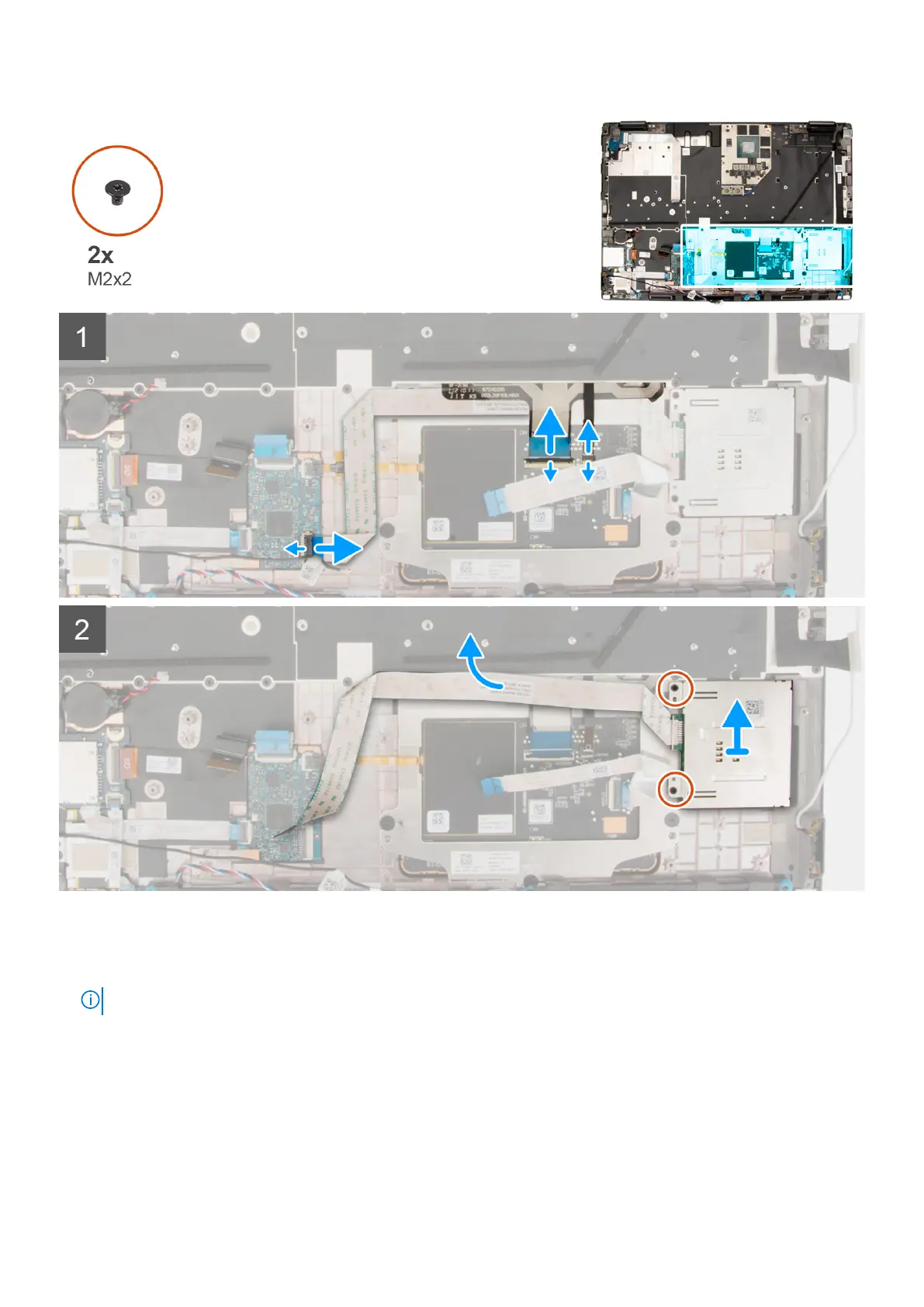
Steps
1. Disconnect the smart-card reader FFC from the connector on the USH daughter board.
2. Disconnect the touchpad buttons FFC and keyboard backlight FFC from the touchpad.
NOTE: For models shipped with a keyboard backlight from the touchpad.
3. Peel the smart-card reader FFC from the touchpad.
4. Remove the two (M2x2) screws that secure the smart-card reader to the computer.
5. Remove the smart-card reader from the computer.
82
Removing and installing components






 To Next Page