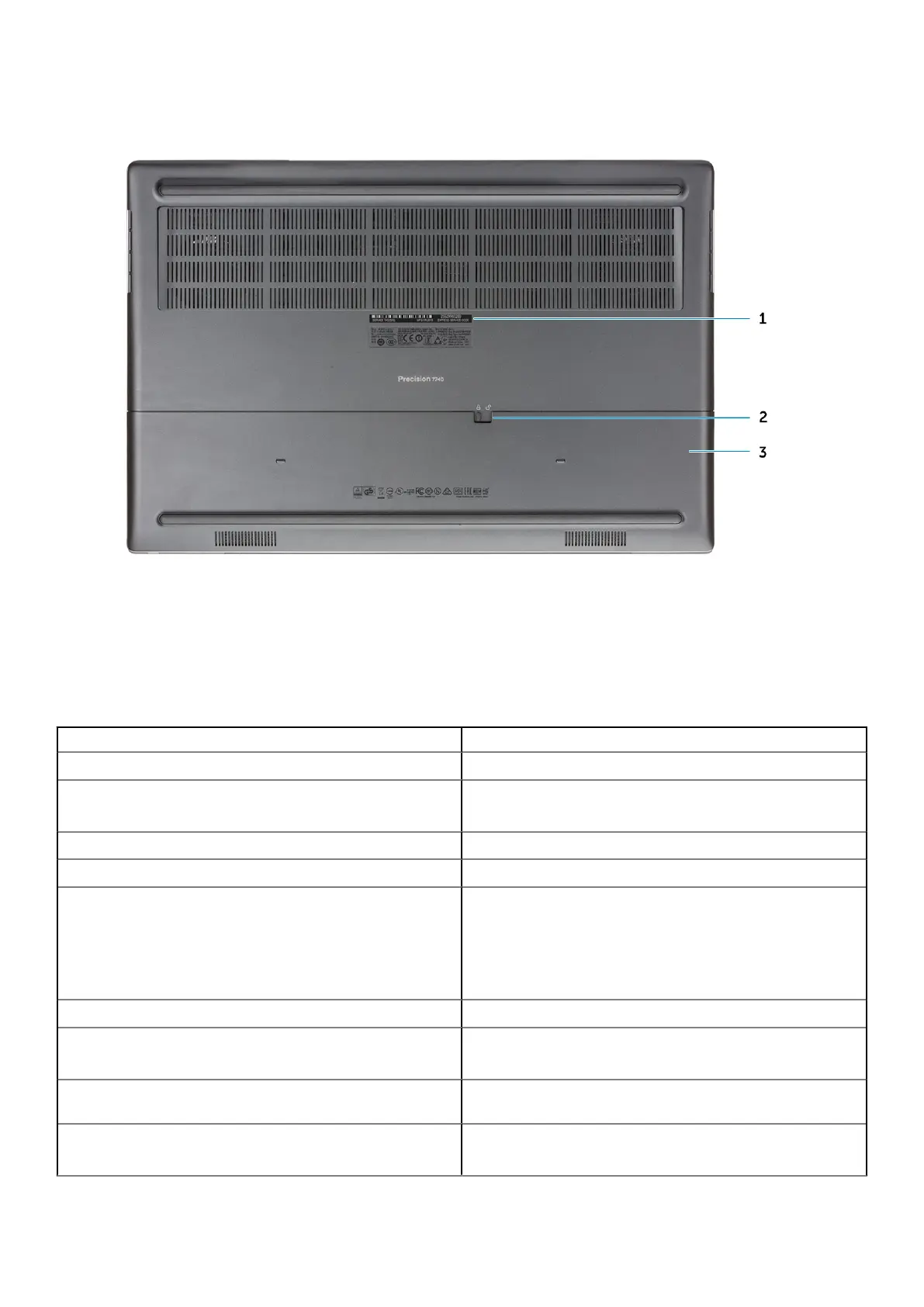
Bottom view
1.
Service tag label
2. Battery door release latch
3. Battery door
Hot key definition
Table 2. Keyboard shortcut keys
Hot keys Function
Fn+ESC - Fn Lock Allows the user to toggle between locked and unlocked Fn keys.
Fn+F1 - Audio Volume Mute
Temporarily mutes/unmutes the audio. The audio level before
muting is returned after unmuting.
Fn+F2 – Audio Volume Down/Decrease Decreases the audio volume until minimum/off is reached.
Fn+F3 – Audio Volume Up/Increase Increases the audio volume until maximum is reached.
Fn+F4 – Microphone Mute
Silences the on-board microphone so it cannot record audio. There
is an LED on the F4 function key that notifies the user of the state
of this feature:
• LED off = microphone capable of recording audio
• LED on = microphone muted and unable to record audio
Fn+F6—Scroll lock Used as Scroll Lock key.
Fn+F8 – LCD and Projector display
Determines video output to LCD and external Video devices when
attached and displays present.
Fn+F9 – Search Mimics the Windows key + F keystroke to open Windows Search
dialog box.
Fn+F10 – KB Illumination/Backlight Determines the Keyboard Illumination/Backlight brightness level.
The hot key cycles through the following brightness states when
10 Chassis














 To Next Page