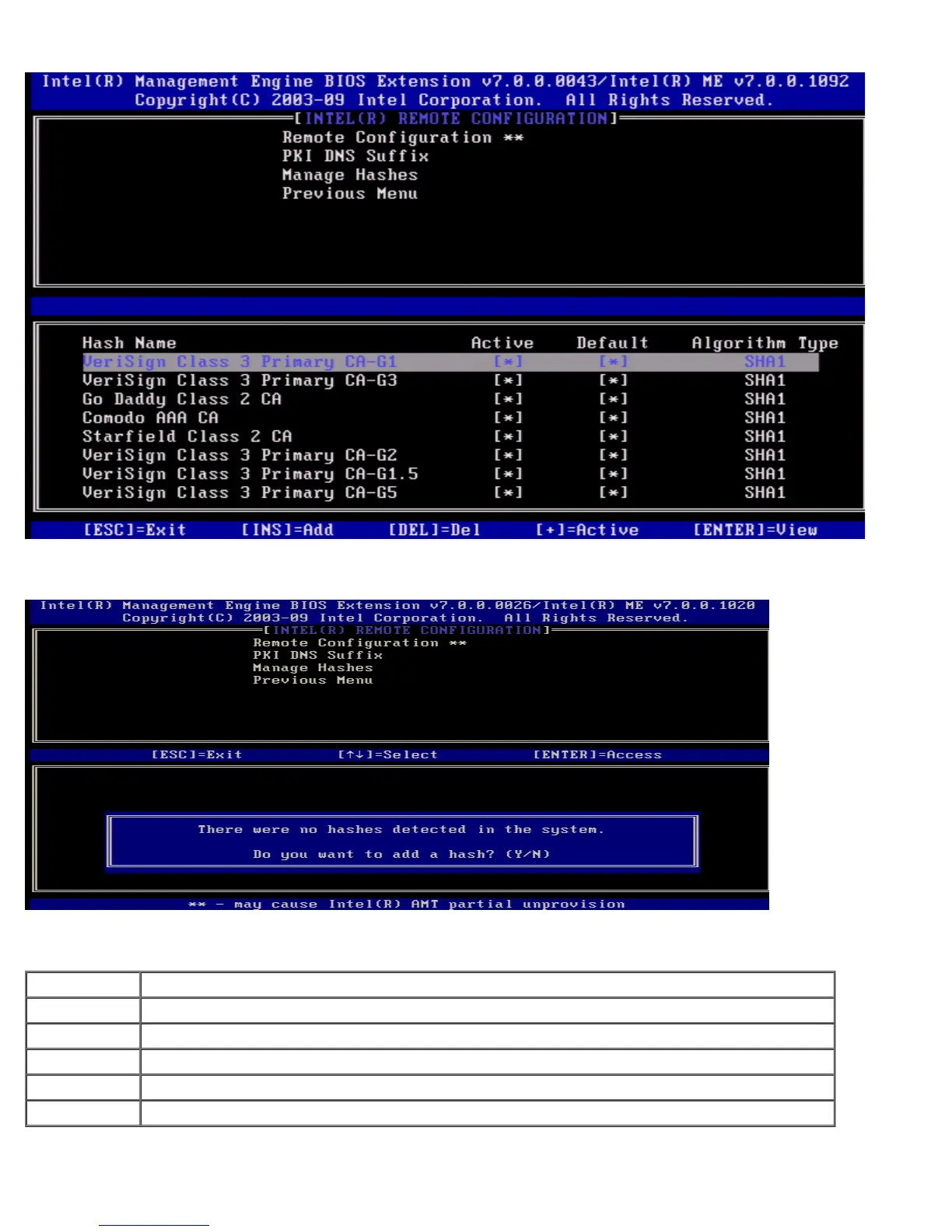
Under the Intel Remote Configuration menu select Manage Hashes and press <Enter>.
Selecting this option will enumerate the hashes in the system and display the Hash Name and the active and default state. If
the system does not contain any hashes yet, Intel MEBx will display the following screen.
Answering 'Yes' will begin the process of adding customized hash. The Manage Certificate Hash screen provides keyboard
controls for managing the hashes on the system. The following keys are valid when in the Manage Certificate Hash menu.
Key Description
Escape Exits from the menu.
Insert Adds a customized certificate hash to the system.
Delete Deletes the currently selected certificate hash from the system.
+ Changes the active state of the currently selected certificate hash.
<Enter> Displays the details of the currently selected certificate hash.
Adding Customized Hash















 To Next Page