USB Device Procedure
Dell Client Management (DCM) application is the default console package provided. This section provides the procedure to set
up and configure Intel AMT with the DCM package. As mentioned earlier in the document, several other packages are
available through third-party vendors.
The computer must be configured and seen by the DNS server before you begin this process. A USB storage device is also
required and must conform to the requirements listed on Using a USB Device
page.
NOTE: The nature of management software is that it is not always dynamic or real time. You may have to repeat an
action multiple times to cause a result.
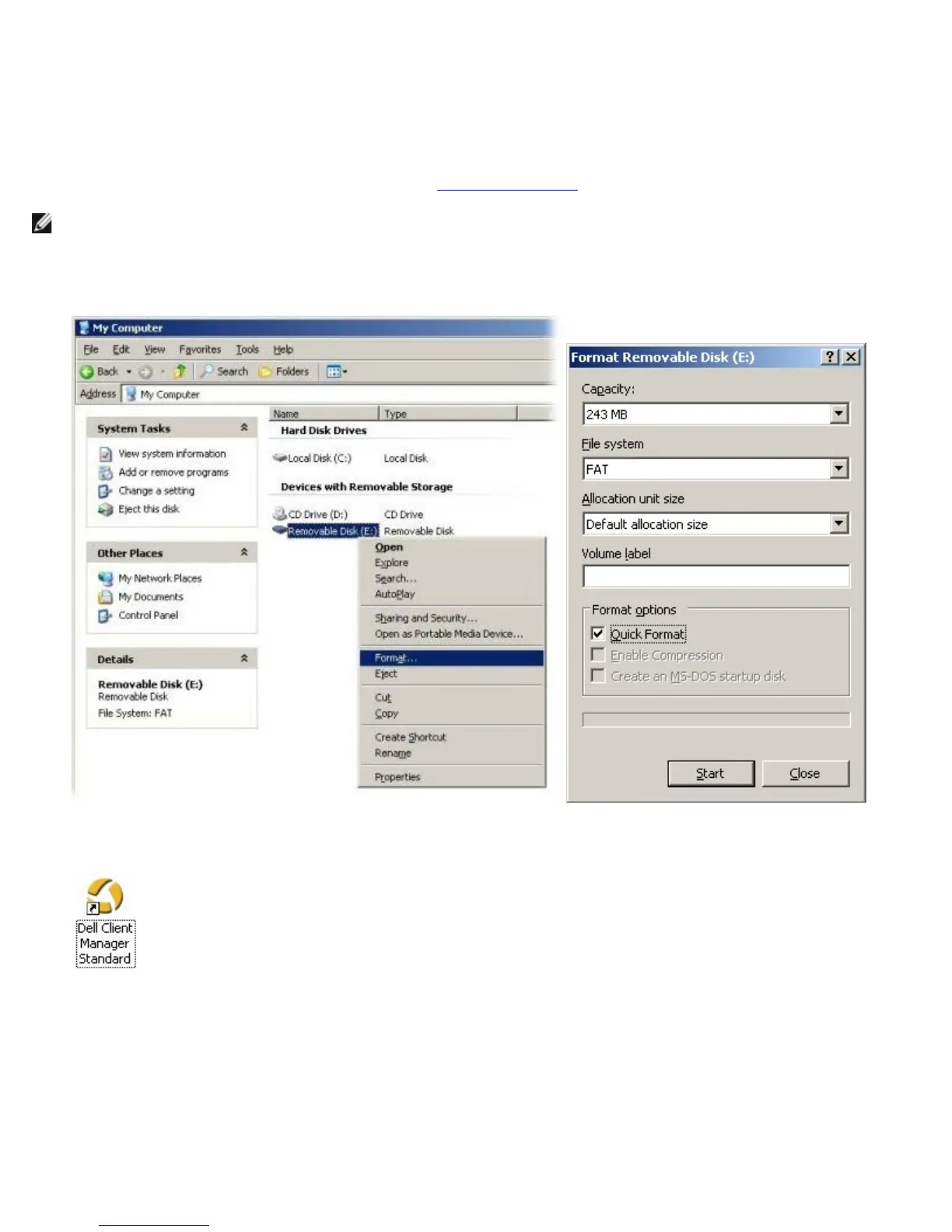
1. Format a USB device with the FAT16 file system and no volume label and then set it aside.
2. Open the Altiris Dell Client Manager application by double-clicking the desktop icon or through the Start menu.
3. Select AMT Quick Start from the left navigation menu to open the Altiris Console.















 To Next Page