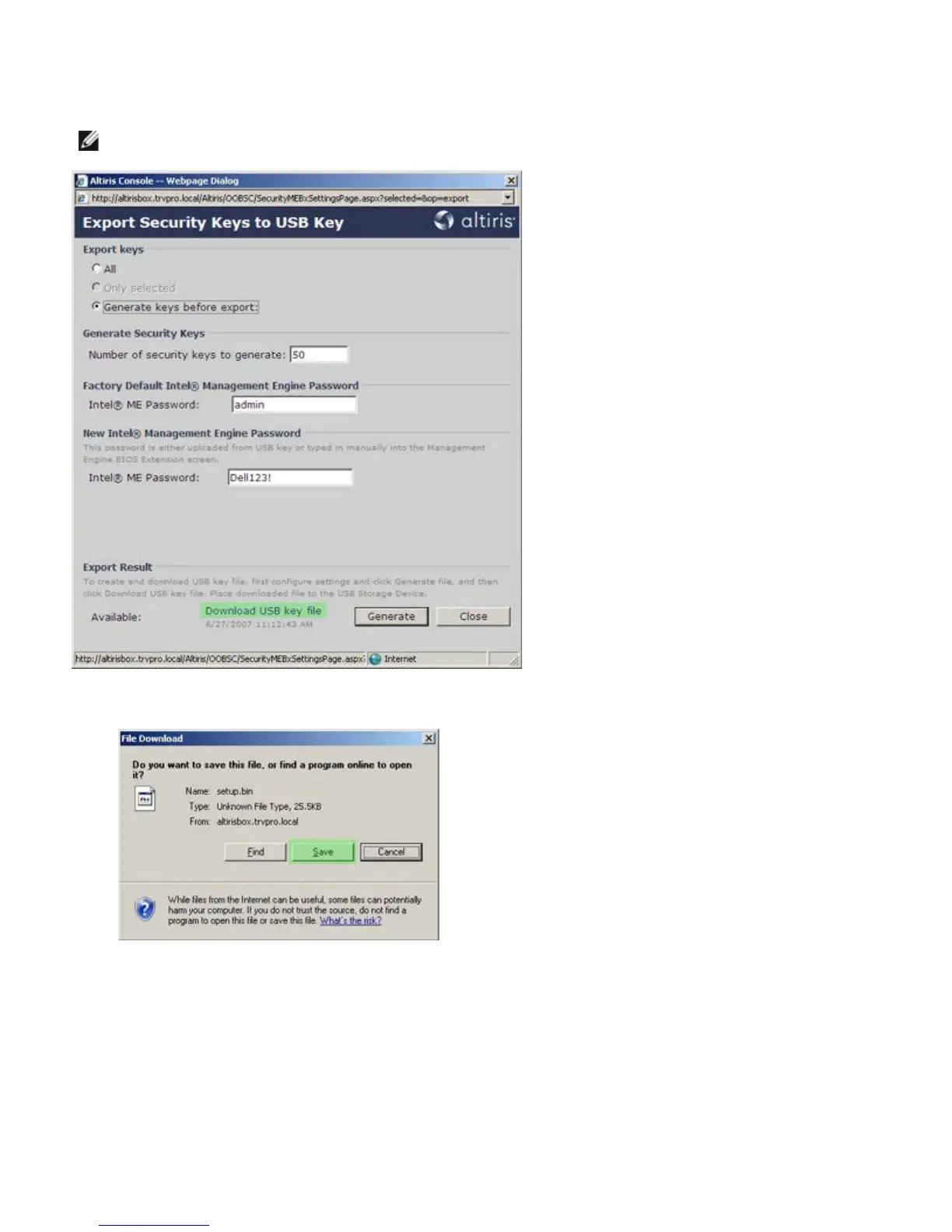
29. Click the Download USB key file link to download setup.bin file to the USB device. The USB device is recognized by
default; save the file to the USB device.
NOTE: If additional keys are needed in the future, the USB device must be reformatted before saving the
setup.bin file to it.
a. Click Save on the File Download dialog box.
b. Verify that the Save in: location is directed to the USB device. Click Save.















 To Next Page