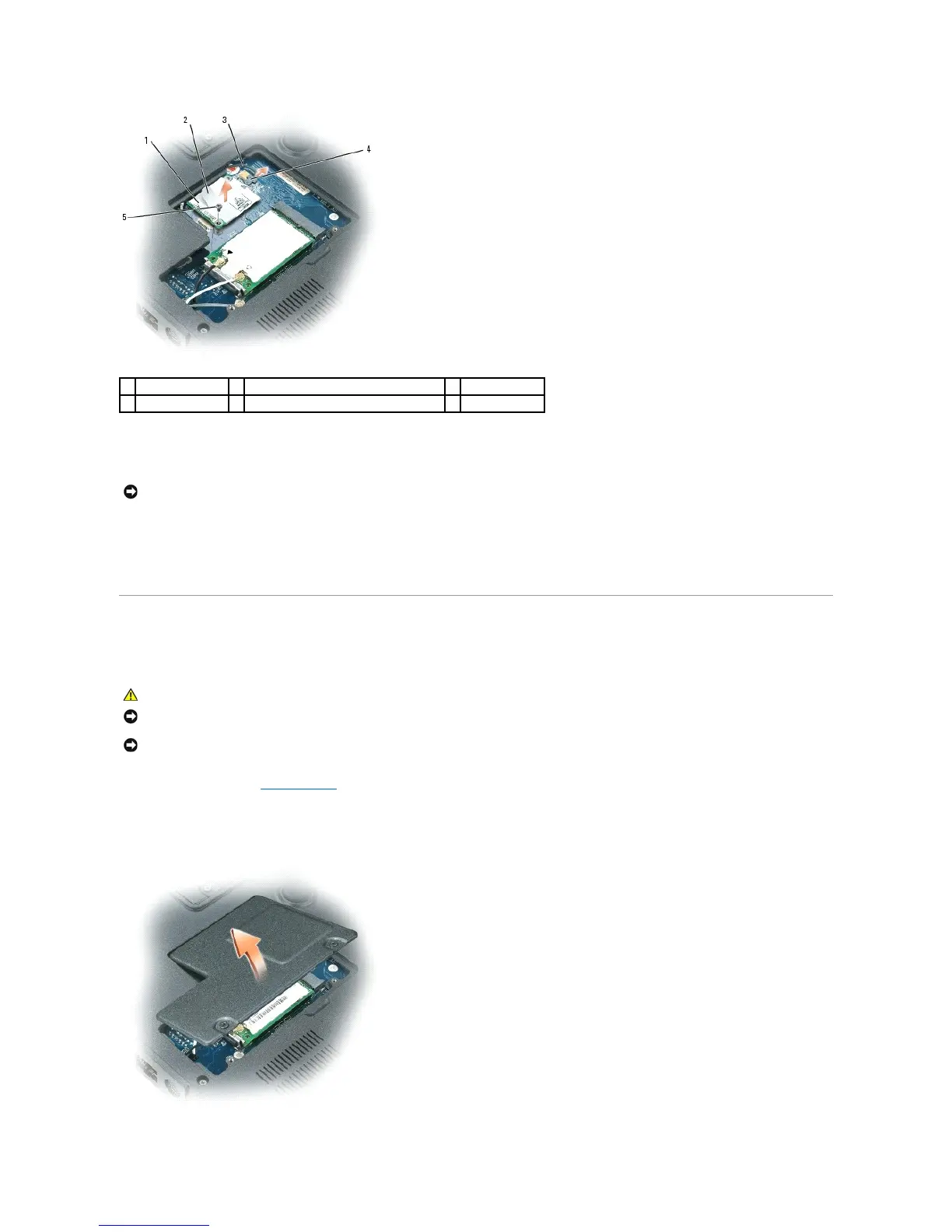
5. Install the replacement modem:
a. Connect the modem cable to the modem.
b. Align the modem with the screw holes and press the modem into the connector on the system board.
c. Replace the screw that secures the modem to the system board.
6. Replace the Mini-Card/modem cover.
Mini-Card
If you ordered a Mini-Card with your computer, the card is already installed.
1. Follow the procedures in Before You Begin.
2. Turn the computer over and loosen the captive screws from the Mini-Card/modem cover.
3. Place your finger under the cover at the indentation, and lift the cover to remove it.
NOTICE: To avoid electrostatic discharge, ground yourself by using a wrist grounding strap or by periodically touching an unpainted metal surface (such
as a connector on the back of the computer).














 To Next Page