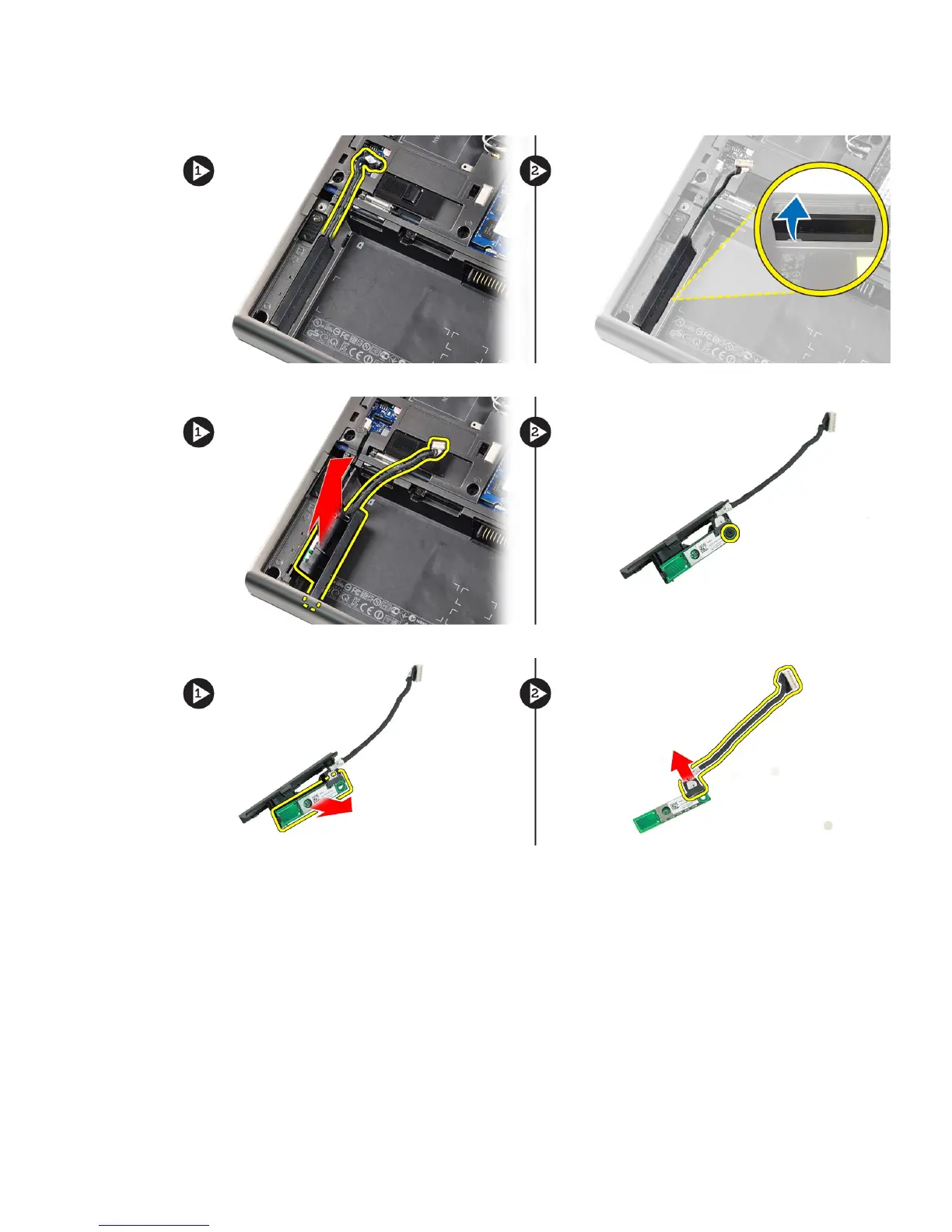
3. Disconnect and un-route the bluetooth cable. Slide the bluetooth door upward to release it.
4. Remove the bluetooth module from the computer. Remove the screw that secures the bluetooth module in place.
5. Remove the bluetooth module. Disconnect and remove the bluetooth cable from the module.
Installing the Bluetooth Module
1. Connect the bluetooth cable to the bluetooth module.
2. Tighten the screw to secure the bluetooth module in place.
3. Insert the bluetooth module in its slot and press down the bluetooth door.
4. Route and connect the bluetooth cable.
5. Install the:
a) base cover
b) battery
26















 To Next Page