c) base cover
d) keyboard trim
e) keyboard
f) optical drive
g) hard drive
h) palm rest
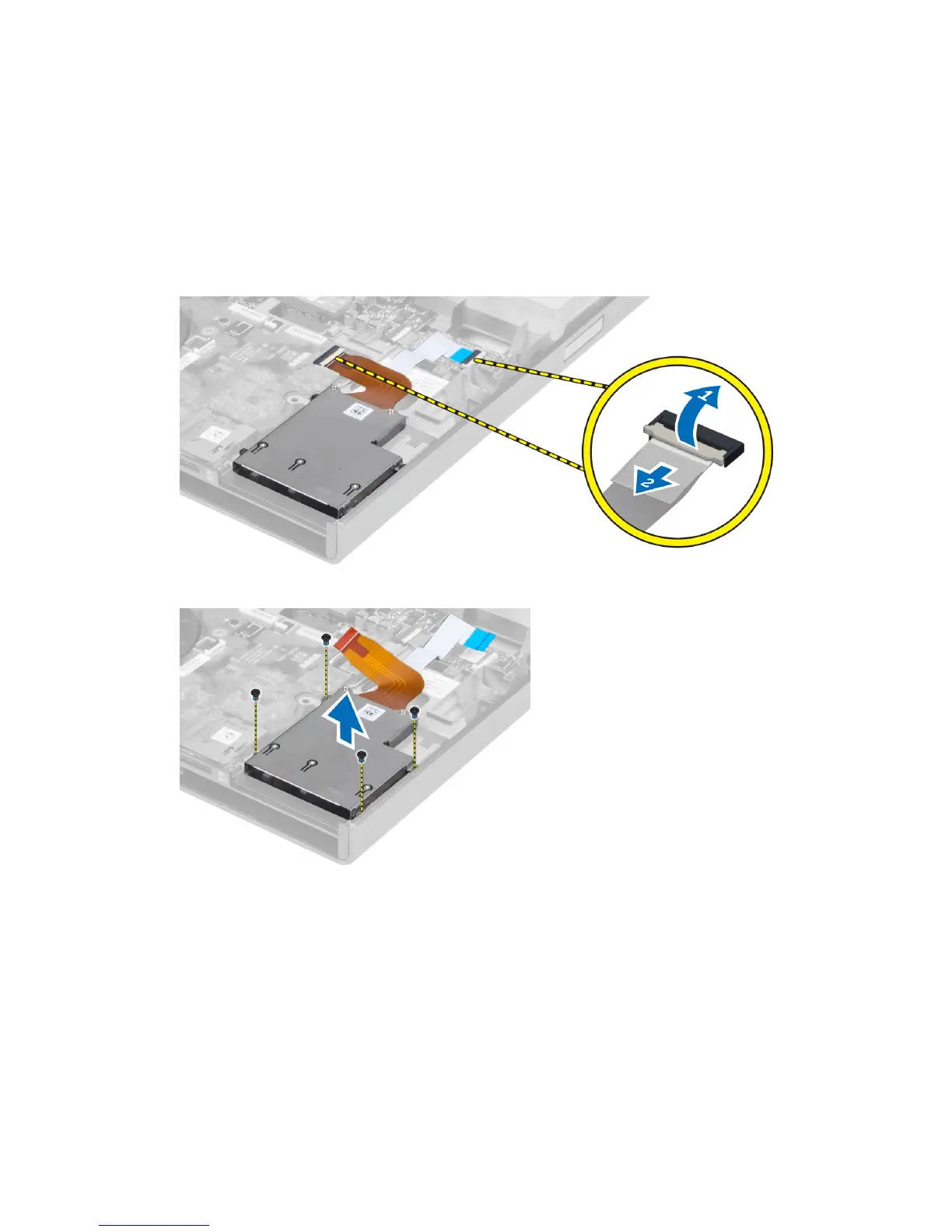
3. Disconnect the :
a) ExpressCard cable from the system board
b) the USH board cable from the USH board (M4700 only)
4. Remove the screws that secure the ExpressCard module to the computer and remove the ExpressCard module.
Installing the ExpressCard Module
1. Insert the ExpressCard module into its compartment.
2. Tighten the screws to secure the ExpressCard module to the computer
3. Connect the:
a) ExpressCard cable to the system board
b) the USH board cable to the USH board (for M4700 only)
4. Install the:
34















 To Next Page