Menu Timer Allows you to set the time for which the OSD remains active after you press a key on the monitor.
Use the
and keys to adjust the slider in 1 second increments, from 5 to 60 seconds.
Menu Lock
Controls user access to adjustments. When Lock is selected, no user adjustments are allowed. All keys are locked except key.
NOTE: When the OSD is locked, pressing the menu key takes you directly to the OSD settings menu, with 'OSD Lock' pre-selected on
entry. press and hold key for 10 seconds to unlock and allow user access to all applicable settings.
Energy Smart Dynamic dimming activated (The Dynamic dimming feature automatically reduces the screen-brightness level when the displayed image
contains a high proportion of bright areas).
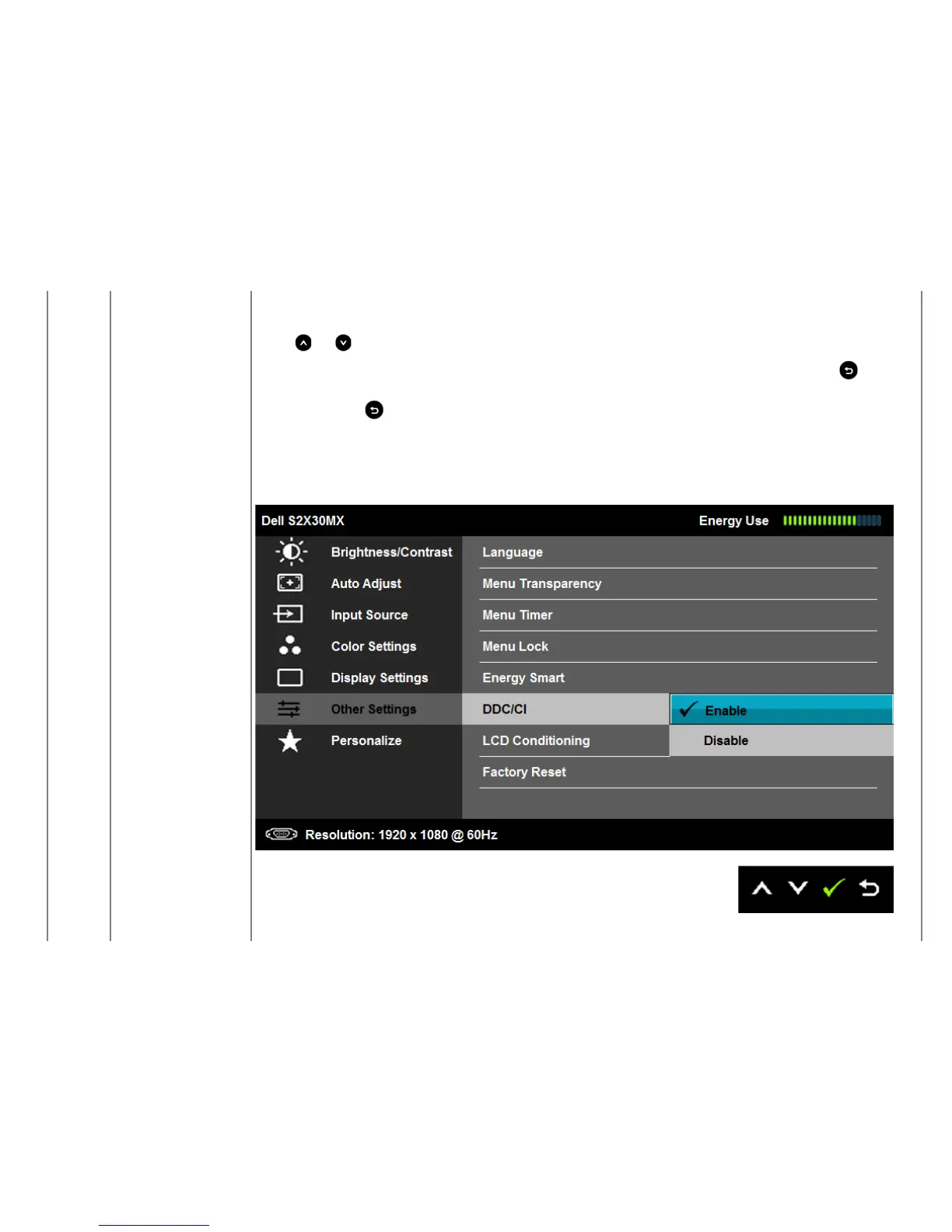
DDC/CI DDC/CI (Display Data Channel/Command Interface) allows a software on your computer to adjust the monitor display settings like the
brightness, color balance etc.
Enable (Default): Optimizes the performance of your monitor and provides a better customer experience.


 To Next Page