Phase If satisfactory results are not obtained using the Phase adjustment, use the Pixel Clock (coarse) adjustment and then use Phase (fine),
again.
Dynamic Contrast
Allows you to increase the level of contrast to provide sharper and more detailed image quality.
NOTE: Dynamic Contrast is not available (greyed out) in Energy Smart modes.
Reset Display Settings Select this option to restore default display settings.
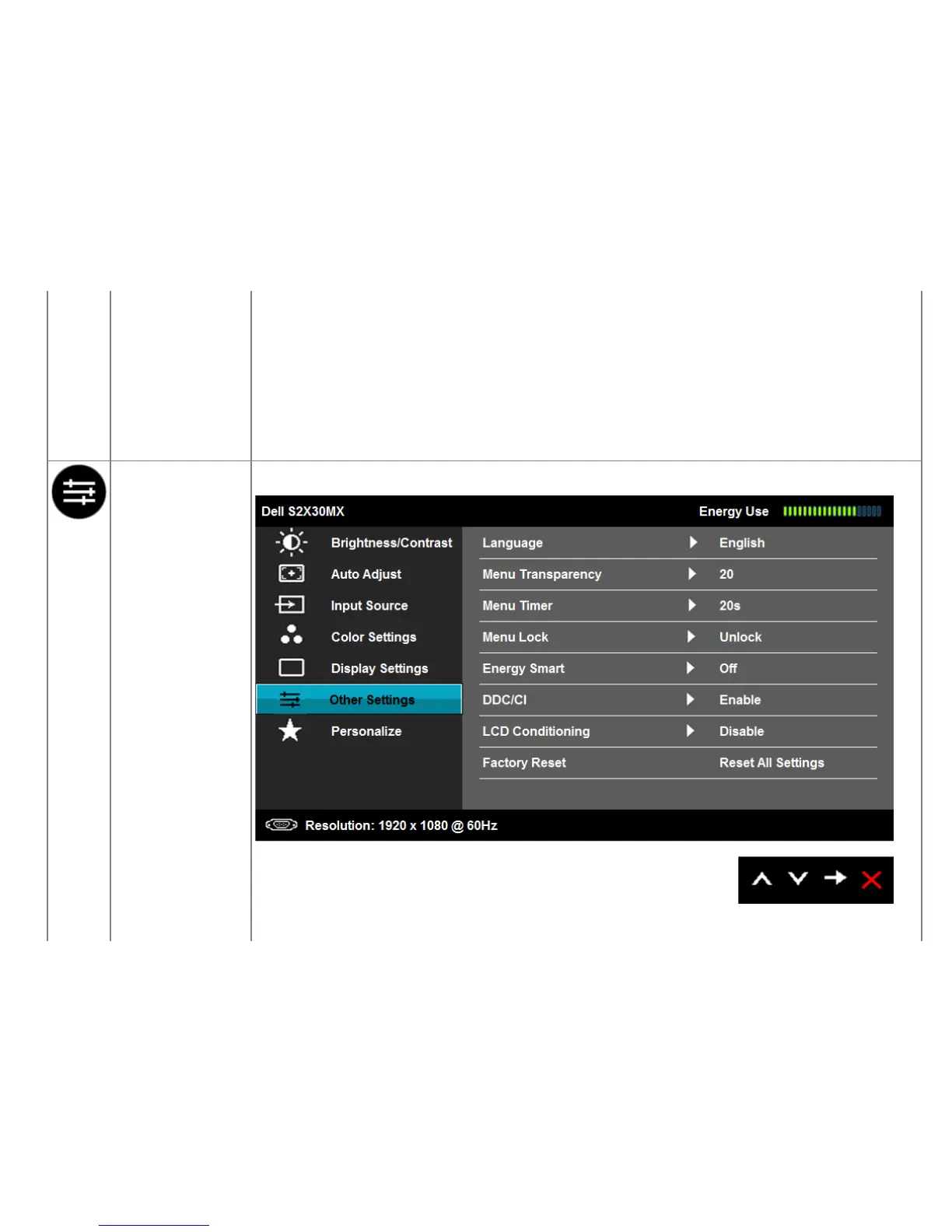
OTHER SETTINGS
Select this option to adjust the settings of the OSD, such as, the languages of the OSD, the amount of time the menu remains on screen,
and so on.
Language Allows you to set the OSD display to one of six languages: English, Spanish, French, German, Simplified Chinese, or Japanese.


 To Next Page