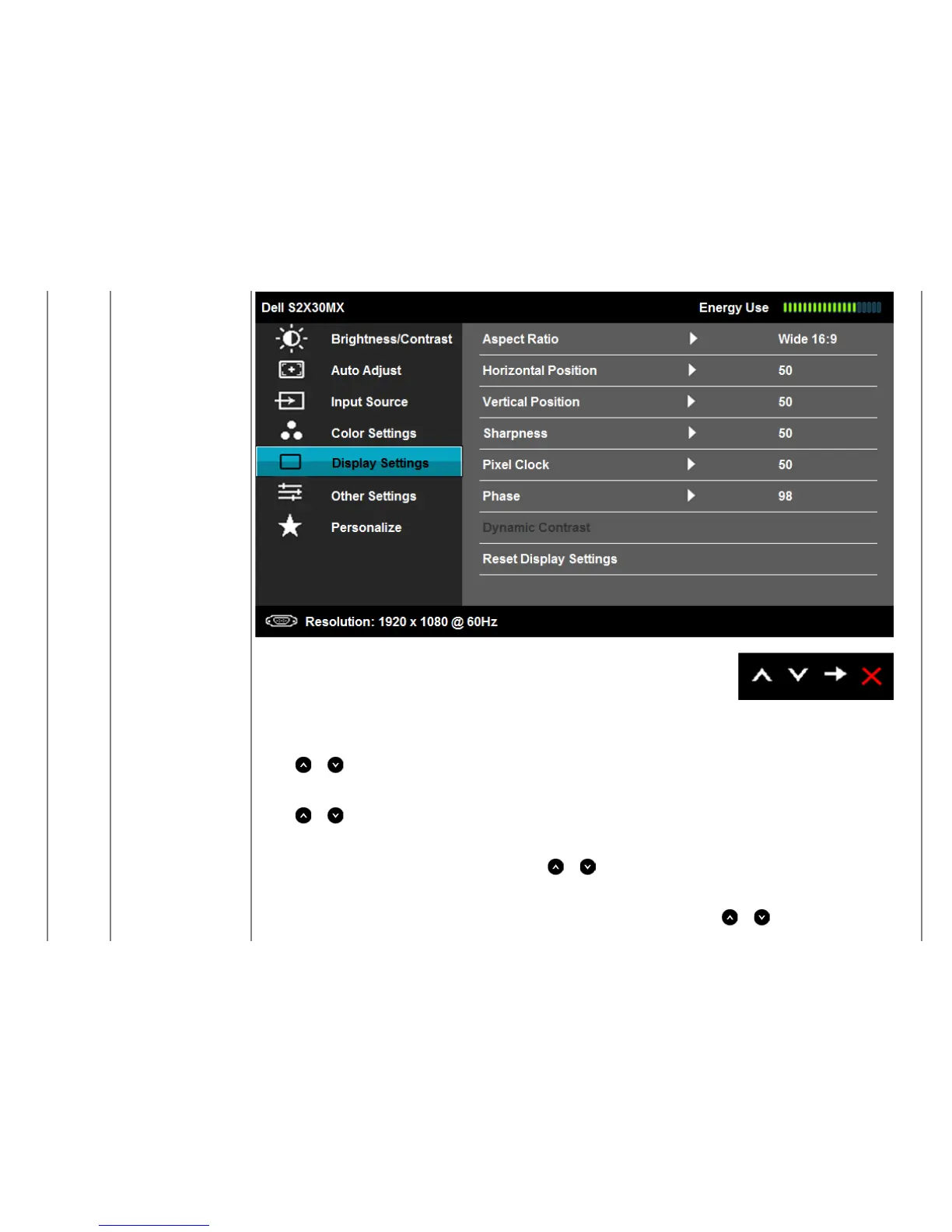
Aspect Ratio
Adjusts the image ratio as Wide 16:9, 4:3, or 5:4.
NOTE: Wide 16:9 adjustment is not required at maximum preset resolution 1920 x 1080.
Horizontal Position
Use the
or buttons to adjust image left and right. Minimum is '0' (-). Maximum is '100' (+).
Vertical Position
Use the
or buttons to adjust image up and down. Minimum is '0' (-). Maximum is '100' (+).
Sharpness
This feature can make the image look sharper or softer. Use
or to adjust the sharpness from '0' to '100'.
Pixel Clock
The Phase and Pixel Clock adjustments allow you to adjust your monitor to your preference. Use
or buttons to adjust for best


 To Next Page